
Table of contents
Appifio Creator · Lesson AS15 · Intermediate · Aura series · MCP
Configure the IDE on Windows
safe paths
safe paths
Avoid path errors: folders without spaces; use / or \\ exactly as the zip package shows.
Learning goals: Extract the package to the right place; paste config into the IDE; connect successfully.
Prerequisites: AS14 done; machine has an MCP-capable IDE (e.g. Cursor) and Node per the package guide · Next: AS16
1. Map
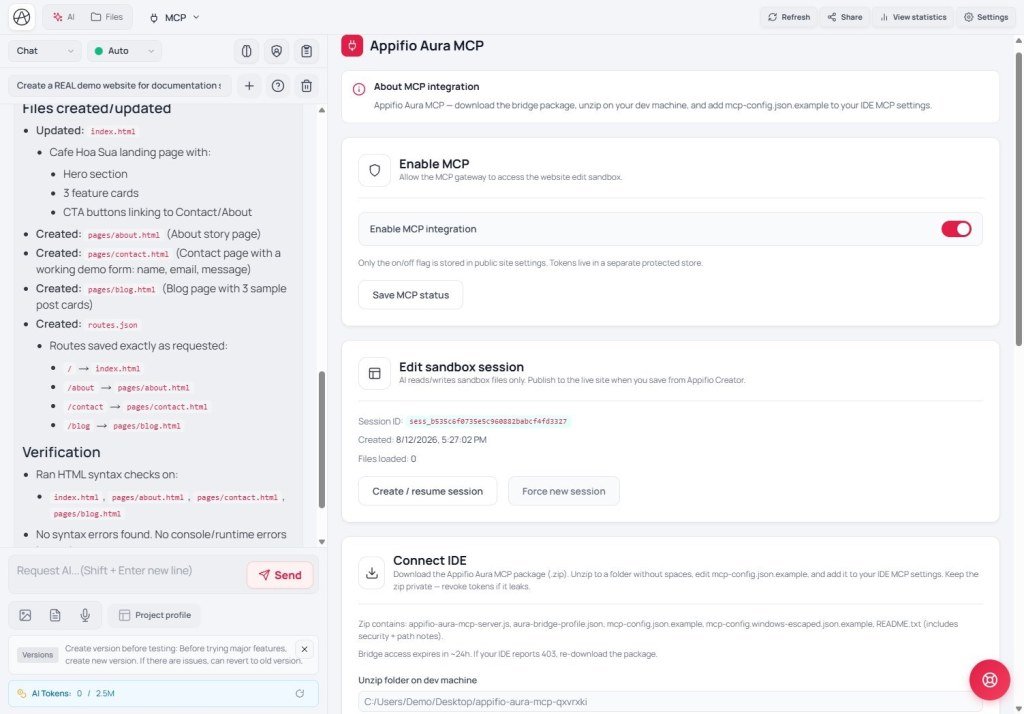
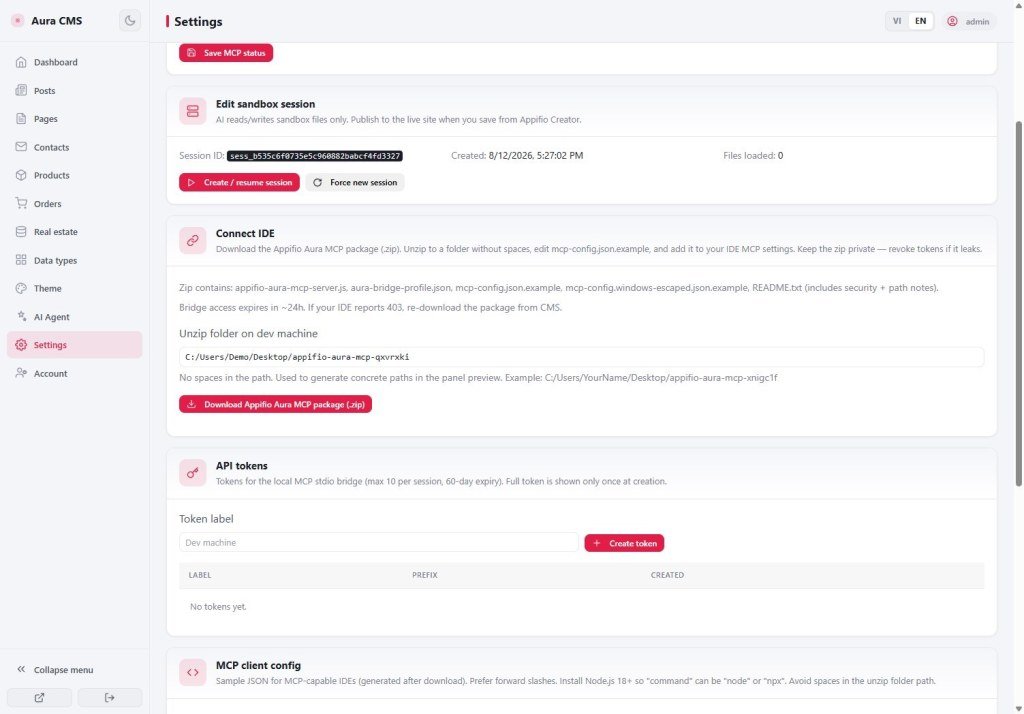
Zip from the MCP tab → extract e.g. to C:/appifio-mcp/myapp
→ Open the sample config in the package (usually named example)
→ Copy into the IDE’s MCP settings (correct path)
→ Restart / Reload MCP in the IDE
2. Windows path rules
| Prefer | Avoid |
|---|---|
C:/tools/aura-mcp or C:\\tools\\aura-mcp | C:\My Documents\Aura MCP (spaces / missing escapes) |
| Short folder names, no accents if possible | Copying a path from Explorer without doubling \\ |
The zip usually documents Method A (use /) and Method B (use \\). Pick one and match the sample - see also K12.
3. Steps
- Create a folder like
C:\appifio-mcp\app-name(no spaces). - Extract the full zip contents there.
- Open the sample config → replace path / token per the package guide.
- Paste into the IDE’s MCP settings → save → reload.
- Ask the IDE AI a small task (list files) to confirm the connection.
4. Limits & common errors
| Situation | Fix |
|---|---|
| MCP won’t start | Wrong path / missing Node - re-read the README in the zip |
| Path has spaces | Move to a folder without spaces |
5. Checklist
- Folder has no spaces?
- IDE shows Appifio MCP tools?
AS16 - IDE ↔ Creator conflicts & expired tokens
Internal navigation (same language)
Appifio Creator · Aura series · AS15
