
Table of contents
Appifio Creator · Lesson AS03 · Beginner · Aura series
Public contact form
(no login required)
(no login required)
Safe flow: visitors append one row to the contact ledger, see a thank-you, and if they submit too often they see “Try again later”.
Learning goals: Build a public contact form as a ledger; verify in Backend; understand “Try again later”.
Reading time: ~15 minutes · Previous: AS02, F01 · Next: AS04
Coder Changes Backend View backend database content Save changes
1. Flow map
1. Prompt mode Coder → build the form
2. Preview on Changes → fill → Submit
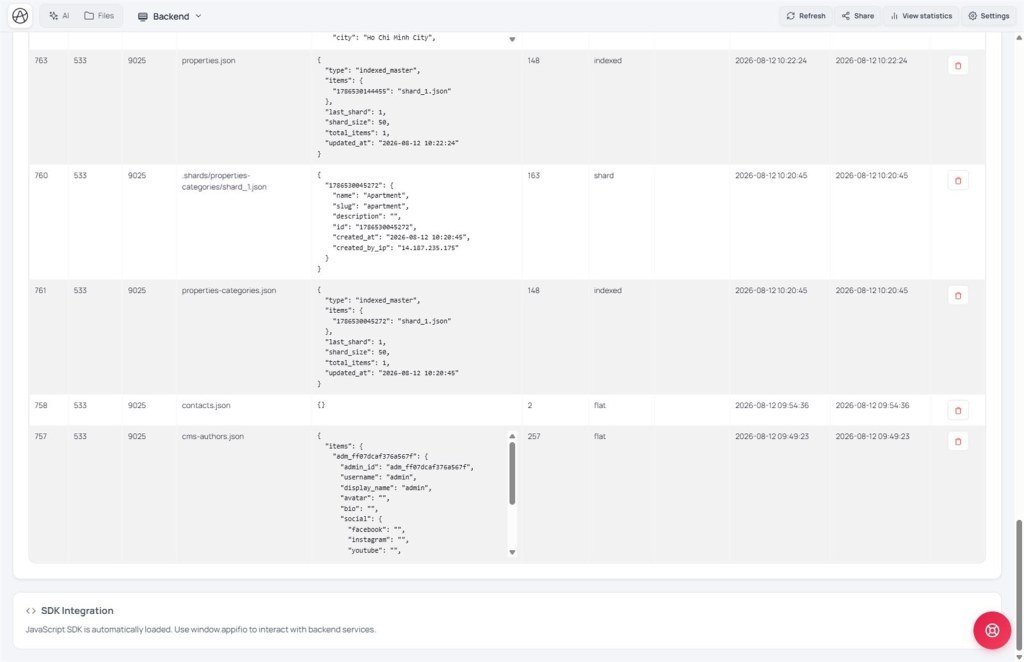
3. Backend tab → View database content → see the new row
4. Click Save changes → try on the live link
If they submit too often → “Try again later” (normal, not a broken form)
2. Glossary
| Term | Meaning | Where you see it |
|---|---|---|
| Guest | Site visitor not logged into admin | Public pages |
| Try again later | System temporarily pauses more submits because traffic was too dense | Message after Submit |
| Add one row | Only append a ticket; never wipe old tickets | Prompt + form behavior |
3. Detailed steps
- Open Creator → chat mode Coder.
- Paste: “Public contact form - name, email, message - only append one row to the contact list; show thank-you; if they submit too often show Try again later. Do not let guests overwrite the whole list. Do not disable submit limits.”
- Switch preview to Changes → fill the form → submit.
- Backend → View backend database content - find the new contact record.
- Click Save changes → open the live link (Current) and try again.
- (Optional) Later review tickets in CMS under Contacts (AS09).
The first submit still works - the system prepares the ledger. You do not need to “create the file” by hand.
3b. Three “empty / error” layers - do not mix them
| Layer | When nothing exists yet | What you see |
|---|---|---|
| Data store (forms, posts…) | Success but empty list | Normal the first time - not a “missing file” |
| HTML page file | File not created in Files | Missing page / page-file read error |
| Visitor URL | No Routes entry | Browser 404 (AS04) - different from an empty ledger |
A contact form only touches the data-store layer. Do not ask AI to “fix a 404” when the real issue is that the ledger has no tickets yet.
3c. “Try again later” - submit limits
- Counted per machine (IP) + each of your apps - other apps do not share the quota.
- Mostly on writes (submit form, edit data…). Reads of lists usually are not limited this way.
- Too many wrong-password logins can also temporary-block - wait, then retry; do not spam.
- When temporarily blocked, the UI only shows a generic message (“Try again later”) - the system does not expose a detailed reason to visitors (by design).
Coder: catch network errors + show a friendly message - technical detail in AM10.
4. Do not
- Do not ask AI to “let guests overwrite the whole list”.
- Do not ask AI to “turn off submit limits” / remove “Try again later”.
- Do not put mail passwords or payment keys in page code (use Secrets - AS06).
5. Comparisons
- Google Form: also collects tickets; Aura sits inside your own site + CMS.
- Typeform / Tally: polished but separate from the site; Aura lives in the same app.
- WordPress Contact Form: needs a plugin; Appifio uses AI + Storage ready.
6. Limits
You can
- Safe guest forms
- See tickets in Backend / CMS
- Dense-submit protection via “Try again later”
You cannot
- Turn off submit limits from the guest side
- Have the form on live before Save changes
7. Security
- Guests only append rows - they do not edit/delete the list.
- “Try again later” is a protection layer, not a bug to “bypass”.
8. Common issues
| Situation | Fix |
|---|---|
| See “Try again later” | Wait a few minutes and submit again - see X06 |
| Submit OK but Backend empty | Check API key / Easy-Advanced (F01); refresh the data table |
| Live site has no form yet | Click Save changes |
9. Checklist
- Does the prompt say “append one row only” and “Try again later”?
- Did you see the new row in Backend?
- Did you Save changes and try live?
Internal navigation (same language)
Appifio Creator · Aura series · AS03
