
Table of contents
Appifio Creator · Lesson AS08 · Beginner · Aura series · CMS
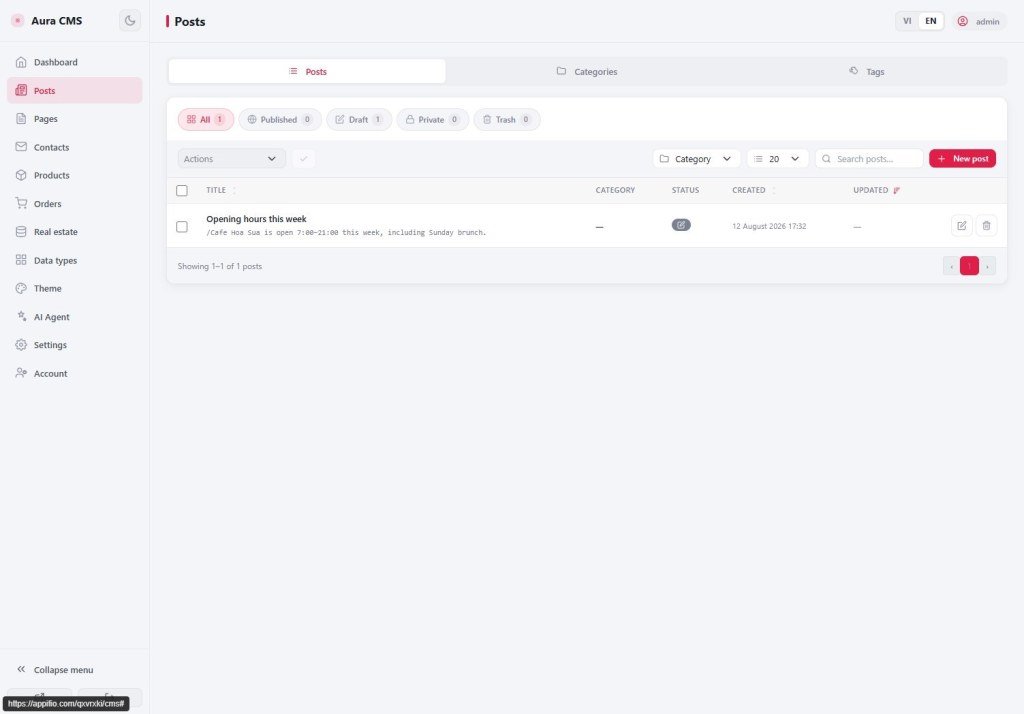
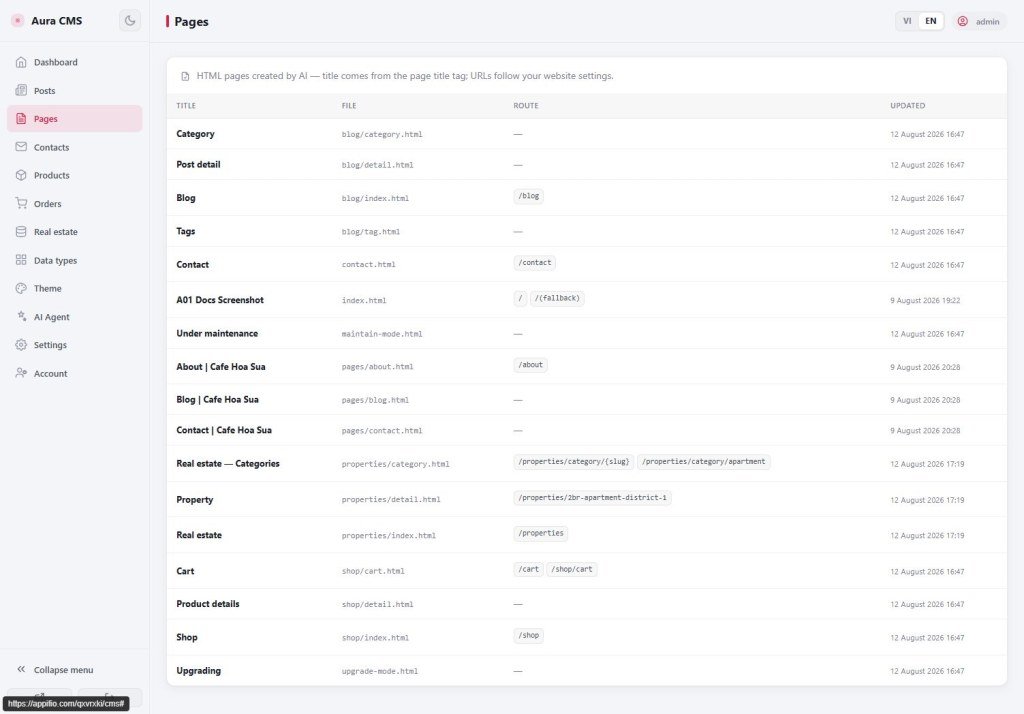
Posts · Pages · Categories
day-to-day CMS work
day-to-day CMS work
Publish posts, go live, manage static pages - like WordPress admin, already wired to your Appifio site.
Learning goals: Create a post → Published → see it on the web; tell Posts from Pages.
Previous: AS07 · Next: AS09 · ~12 minutes
Posts Pages Published Draft
1. One publishing day
CMS → Posts → Add new
→ Write title / body → save as Draft or Published
→ Open the blog on the web → see the post (if the page is wired to the right data - AS10)
2. Glossary
| Term | Meaning | Where you see it |
|---|---|---|
| Posts | News / blog over time | CMS nav |
| Pages | Rarely changing content (About, Contact…) | Pages nav |
| Published | Visitors can see it (if security allows) | Post status |
| Draft | Internal only - visitors do not see it | Post status |
3. Steps
- Log into CMS → Posts → create new (use the button on screen).
- Fill title and body; pick a category if you have one.
- Choose Published when visitors should read it → Save with the form button.
- Open the blog on the site; if it is empty despite Published → see AS10.
- Do the same under Pages for fixed content.
4. Comparisons
- WordPress Posts vs Pages: same split.
- Notion publish: draft vs publish - close to Draft / Published.
5. Limits
You can
- Editors publish without Creator
Not automatic
- The site page must be wired by AI/Creator to the right post ledger (AS10)
6. Common issues
| Situation | Fix |
|---|---|
| CMS has the post, web is empty | AS10 - content map / file names |
| Visitors see a draft | Check status + AS11 security |
7. Checklist
- Can you tell Posts from Pages?
- Have you tried one Published post and opened the web?
AS09 - Contacts · Products · Orders
Internal navigation (same language)
Appifio Creator · Aura series · AS08
