
Table of contents
Appifio Creator · Lesson AS07 · Intermediate · Aura series · CMS
Open CMS for the first time
& the owner account
& the owner account
Enter the back office: create the owner account once, then use Overview every day - no need to open Creator just to publish a post.
Learning goals: Open /your-link-name/cms, create the owner (super admin), recognize the left menu.
Prerequisites: Backend Advanced; at least one Save changes · Previous: AS01, F01 · Next: AS08 · Custom types / CMS Prompt: AS19-AS21
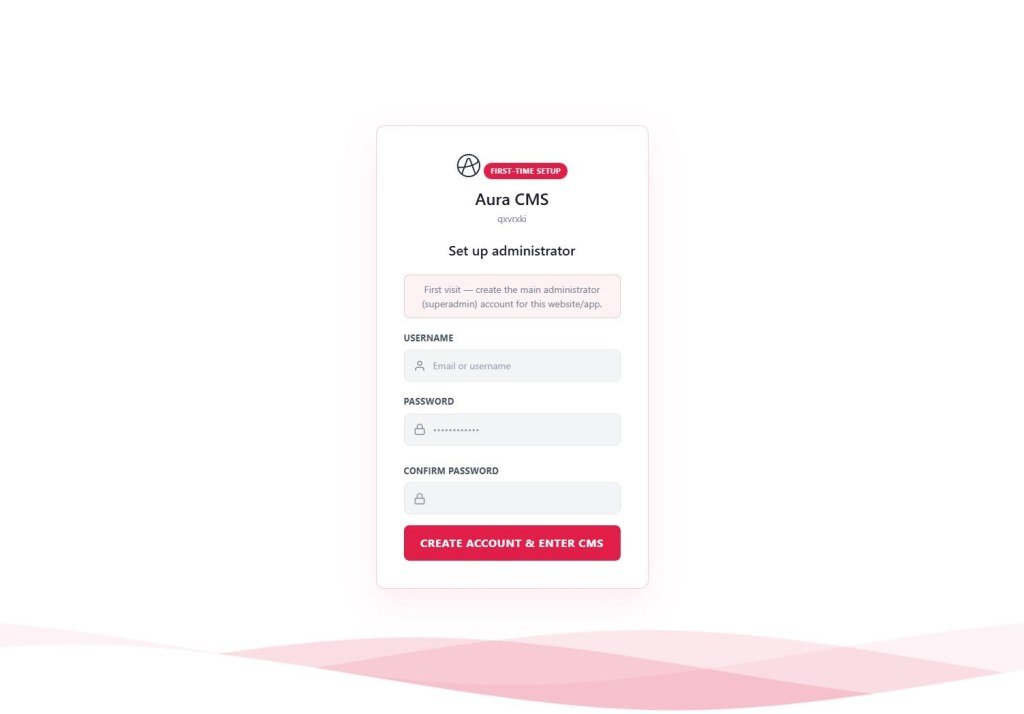
First-time setup Create account & enter CMS Overview Login
1. First-time map
Open /your-link-name/cms
→ Badge First-time setup
→ Fill Username · Password · Confirm
→ Create account & enter CMS
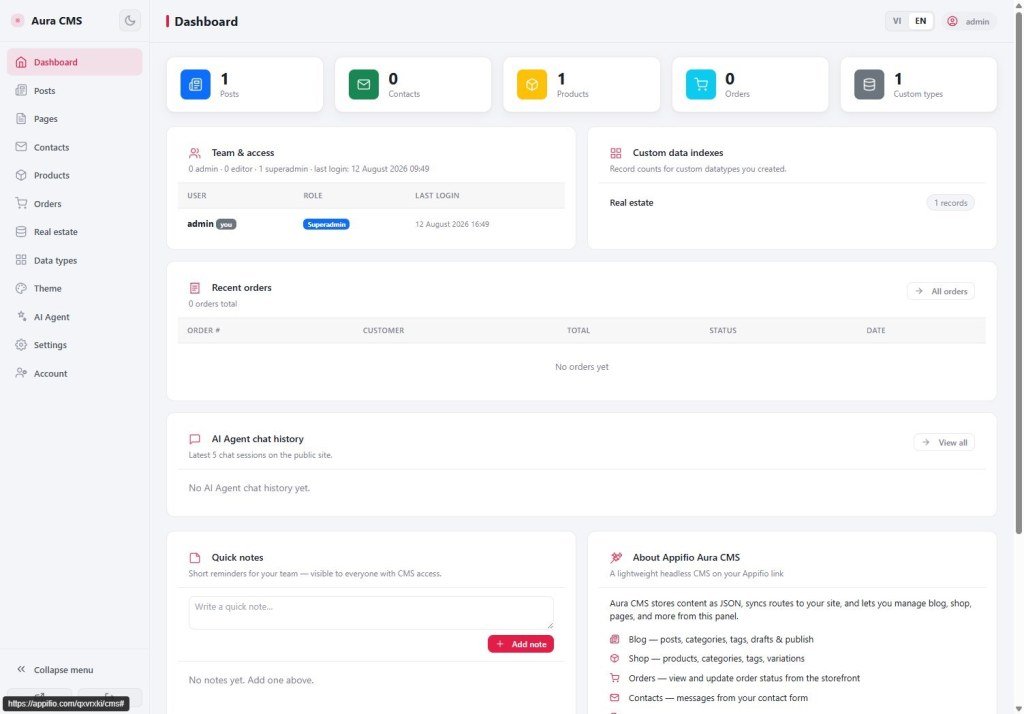
→ Land on Overview
Next visits: normal Login form
2. Glossary
| Term | Meaning | Where you see it |
|---|---|---|
/cms | URL suffix that opens the back office | Browser |
| Overview | CMS home: quick stats | Left menu |
| Super admin | Owner account created on first setup | Assigned automatically at setup |
3. Steps
- In Creator: Backend = Advanced → save the Backend tab → Save changes.
- Open the browser:
https://…/your-link-name/cms. - Fill the first-time form → Create account & enter CMS.
- Scan the menu: Overview, Posts, Pages, Contacts, Products, Orders, Data types, Appearance, Settings, Accounts.
- Data types / Custom data types screen: where you create new types (real estate, events…) - detail in AS20. AI rules + two declaration files: AS19.
This lesson only covers buttons and screens - you do not need panel internals. When asking AI to build a CMS site: Aura Prompt + Appifio Aura CMS + Storage - Complete AI Guide (AS19).
4. Comparisons
- WordPress /wp-admin: similar “first admin entry”.
- Shopify Admin: panel separate from the theme editor - Creator ≈ theme, CMS ≈ admin.
5. Limits & security
You can
- Run content without opening Creator
You cannot
- Easy is usually not enough for CMS
- CMS reads live data - Save changes first
- Keep the owner password private; do not screenshot the create-account form into a public chat.
6. Common issues
| Situation | Fix |
|---|---|
| Cannot open /cms | Advanced + Save changes; see X11 |
| Not sure if the owner was created | If you see the normal Login form = an account already exists |
7. Checklist
- Can you reach Overview?
- Can you name 5 main menu items?
AS08 - Posts · Pages · Categories
After you know CMS: AS19 (Prompt + two files) · AS20 (custom types / real estate)
Internal navigation (same language)
Appifio Creator · Aura series · AS07
