
Table of contents
Appifio Creator · Lesson AS13 · Beginner · Aura series · MCP
What is MCP?
When you need it - and when you don’t
When you need it - and when you don’t
For shop owners who don’t code: MCP is a side door for builders who bring an IDE - not required to sell products or publish posts.
Learning goals: Decide whether to turn MCP on; know the sandbox vs live boundary.
Previous: AS01 · Next: AS14 · ~10 minutes
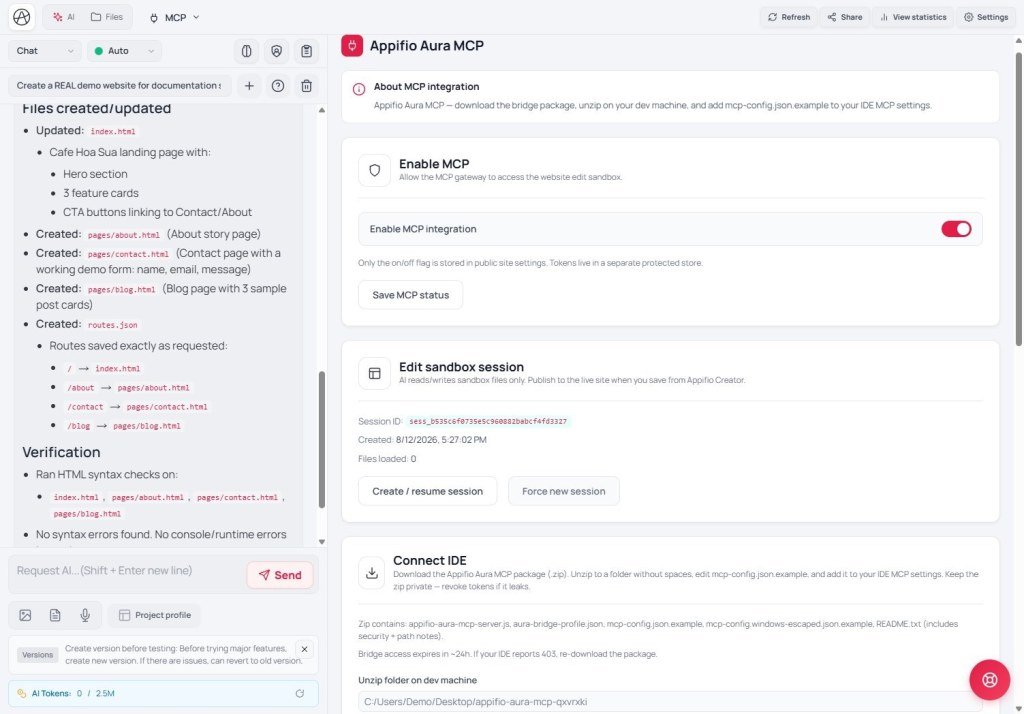
MCP Save changes
1. Simple picture
Creator + CMS = enough for most site owners
MCP = side door: a builder brings Cursor/IDE into a temporary workspace
Visitors only see the result after you (or your team process) click Save changes in Creator
2. Glossary
| Term | Meaning | Where you see it |
|---|---|---|
| MCP | Bridge so an external IDE can work with your Appifio app | MCP tab |
| Sandbox | Where edits are tried - not yet what visitors see | MCP flow |
| IDE | Coding app (e.g. Cursor) | Your / your builder’s machine |
3. When you need it / when you don’t
| Need MCP | Don’t need it |
|---|---|
| You want AI in Cursor to edit many app files | You only publish posts / view orders in CMS |
| You hire a builder who works in an IDE | You only use AI chat inside Creator |
4. Comparisons
- Git + staging: a temporary area before production - close to sandbox, then Save changes.
- Shopify theme editor vs local theme: local ≈ IDE via MCP.
5. Security
- Turn MCP on only when a trusted person will use an IDE.
- An MCP token is a door key - never post it publicly (AS14).
6. Checklist
- Can you answer: “Do I need an IDE?”
- Do you understand that MCP edits are not live yet?
AS14 - Enable MCP: session, token, download package
Internal navigation (same language)
Appifio Creator · Aura series · AS13
