
Appifio Creator · Lesson K05 · Technical
with appendData
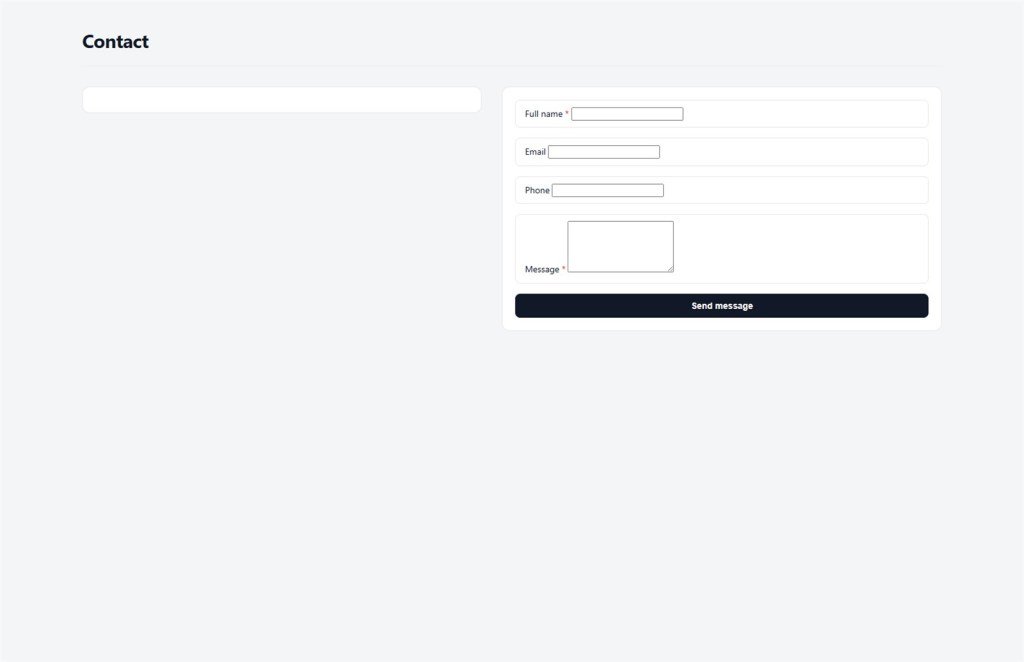
Visitors submit contact/order forms without an admin session - append only when policy allows; handle rate-limit messages; ban dangerous operations.
Learning goals: Design public forms that only use indexed appendData; validate client + server; handle rate-limit UI; guests must not writeFile/updateData/delete/executeBackendFunction.
Reading time: about 20 minutes
Prerequisites: F02 (basic forms), T03 (Storage), T07 (Backend), K01 (Coder prompts).
Previous: K04 - Inspector + AI.
Next: K06 - Sync frontend ↔ CMS (rate-limit detail → X06).
Main UI labels:
1. Guest form flow
appifio_appendData(file, payload) - indexed mode2. Glossary
| Term | Meaning | Where in the UI |
|---|---|---|
| appendData indexed | Append a new record to a JSON array - server assigns id/index | Form code + Backend tab |
| Guest | Visitor not logged in as admin - limited rights | Public URL / preview |
| Rate-limit message | UI when the system temporarily blocks rapid submits | Form: “Try again later” |
| Backend | View JSON files, policy, send limits | Creator Backend tab |
| Contacts (CMS) | Panel that reads submissions from data_file | CMS panel Contacts |
| executeBackendFunction | Call arbitrary server handlers - guests blocked | Admin/backend only |
3. Technical how-to
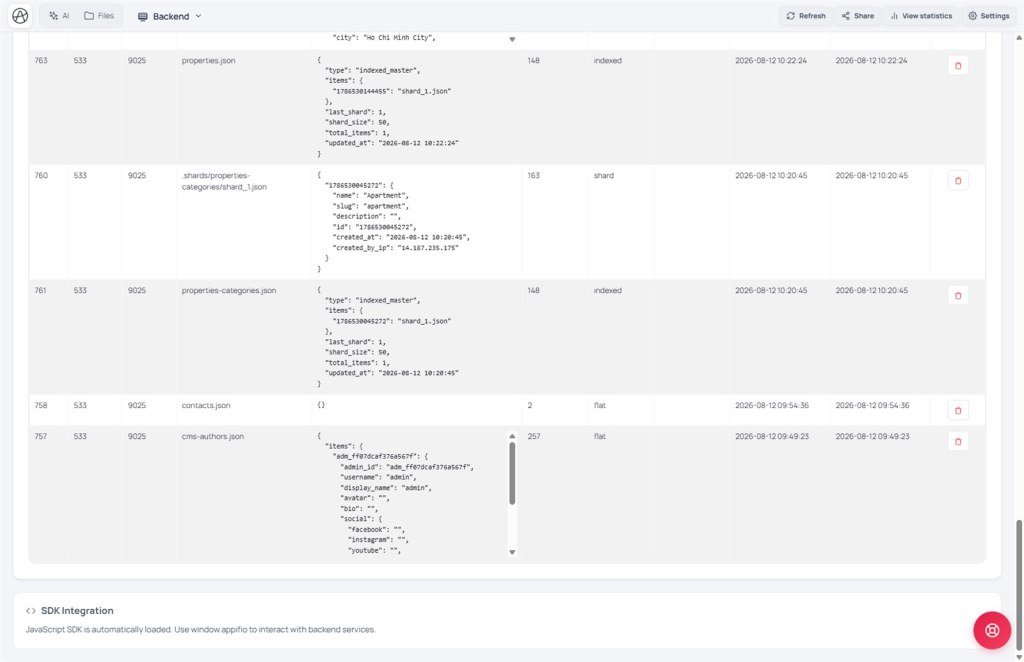
- Step 1 - Find data_file: read
__cms_manifest__- which file the Contacts entity points to (e.g.contacts.json). Don’t invent a parallel filename. - Step 2 - Coder prompt: mode Coder, brief: “Public form only
appifio_appendData('contacts.json', payload)indexed; try/catch with friendly rate-limit message; no writeFile/updateData/delete/executeBackendFunction; don’t set id yourself.” - Step 3 - Client validate: required fields, email format, maxlength; hidden honeypot (CSS display:none) - if bots fill it, abort.
- Step 4 - Safe payload: only needed fields (name, email, message, ISO timestamp); never send role/admin flags from the client.
- Step 5 - Diff review: open Compare changes: - no writeFile lists, no admin APIs, no hardcoded secrets.
- Step 6 - Test on Changes: submit 2-3 times → Backend tab check JSON · or CMS Contacts.
- Step 7 - Rate-limit test: submit rapidly → catch error → show friendly message (“Try again in a few minutes”).
- Step 8 - Publish: Save changes → test live URL as guest (not logged in as admin).
try { await appifio_appendData('contacts.json', data); showSuccess(); } catch (e) { showFriendlyRateLimitMessage(); /* “Try again later” */ }4. Related features
appendData indexed vs writing the whole file
Indexed: server appends to the array and assigns id - guests can’t overwrite old records. writeFile replaces the whole file = admin power - guests are rejected.
Backend tab - check policy
Advanced Backend shows real files, send limits, and CMS security enforce. If append fails despite correct code → check manifest/security (T05), don’t “fix” it with executeBackendFunction.
CMS Contacts panel
Admin reads the same manifest data_file - no duplicate DB. Guest form append → CMS Contacts shows it after refresh (same source as K06).
5. Compared with other form solutions
| Solution | Where data lives | Appifio appendData |
|---|---|---|
| Google Form | Google Sheet | Data in Aura Storage + CMS Contacts on the same site |
| Formspree / Getform | Third-party email/SaaS | Stays in Appifio - one manifest source |
| WP Contact Form 7 | WordPress DB + plugin | Guest policy built in - no separate plugin |
6. Can / can’t
You can
- Guest contact/signup forms that only append
- Show a message when rate-limited
- Admin reads via Backend or CMS Contacts
Guests cannot
- writeFile / updateData / deleteFile
- executeBackendFunction (SMTP email, payment…)
- Ask AI to disable rate limits - “Try again later” is correct behavior
7. Guest form security
- Don’t trust client validation alone - server enforces via policy + send limits.
- Honeypot + rate-limit UI reduce spam - not enterprise CAPTCHA, but enough for typical landings.
- Don’t embed admin sessions in form JS - every guest shares limited rights.
- Review Diff: AI often adds “convenient” executeBackendFunction - reject ✗ on public forms.
8. Common issues
| Situation | Fix |
|---|---|
| Rate-limit message after a few submits | Expected send limit - UI message; detail X06; wait then retry |
| Append blocked entirely | CMS security enforce / wrong data_file in manifest (T05, K06) |
| Form works but CMS Contacts empty | Appended to wrong file - match __cms_manifest__ data_file |
| Guest writeFile in Diff | ✗ reject; re-prompt for indexed appendData only |
9. Tips
- Always tell AI “indexed, don’t set id” in every form prompt.
- Test rate-limit UI on preview before live - blocked-state UX matters as much as success.
- Stick to manifest contacts - avoid contacts.json and contact.json in parallel.
- Email notifications need executeBackendFunction → admin route, not the guest form.
10. Self-check & next
- Which APIs may guests use - which are banned?
- appendData indexed vs writeFile?
- When rate-limited - what do you show the user?
- How do you confirm append hits the CMS Contacts file?
- Four test steps before Save changes?
Next lesson
K06 - Sync frontend with Aura CMS
One source of truth via __cms_manifest__ - Creator HTML and CMS panels don’t diverge.
Internal navigation (same language)
Appifio Creator · User guide · K05
