
Appifio Creator · Lesson K02 · Technical
Clone → edit → Diff → Save
A professional checklist before every large change - less risk of accidental Discard, AI breaking layout, or publishing before review.
Learning goals: Master Clone → edit → Diff → preview → Save changes; tell Clone vs Clean apart; don’t confuse Save changes with Routes Save.
Reading time: about 15 minutes
Prerequisites: E01 (Versions), E03 (Current/Changes), H04 (Diff), T10 (Checkpoint).
Previous: K01 - Prompt engineering.
Next: K03 - Responsive Canvas breakpoints.
Main UI labels:
1. Safe pipeline diagram
2. Glossary
| Term | Meaning | Where in the UI |
|---|---|---|
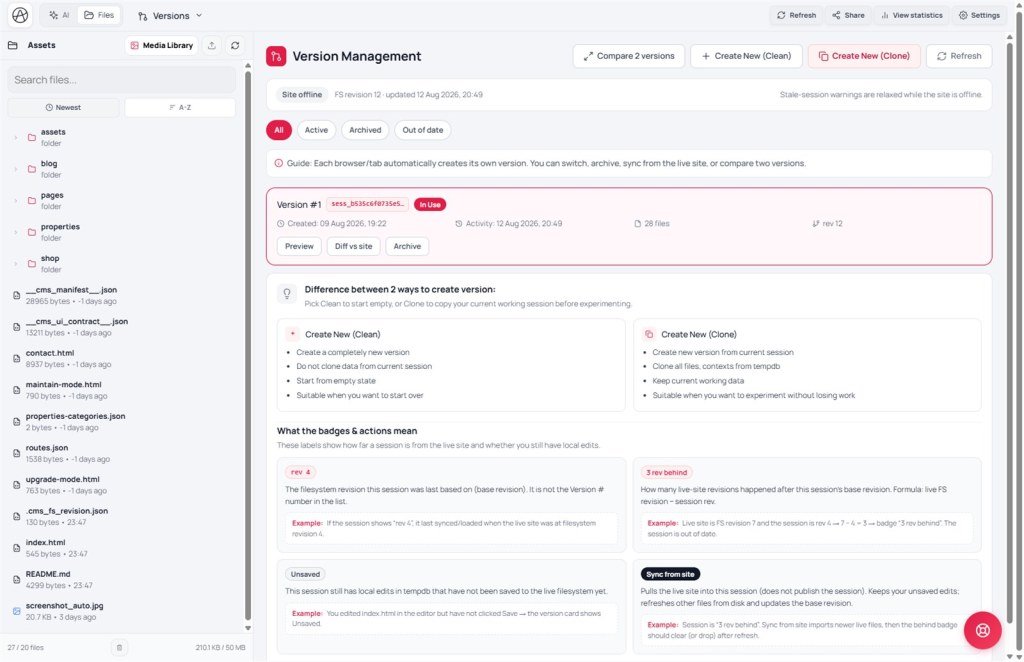
| Clone | Copy the current version to experiment | Versions → Create new (Clone) |
| Clean | Empty version - wipes drafts; dangerous if mistaken | Create new (Clean) |
| Diff | Line compare Add (+) / Remove (−) | Compare changes: panel |
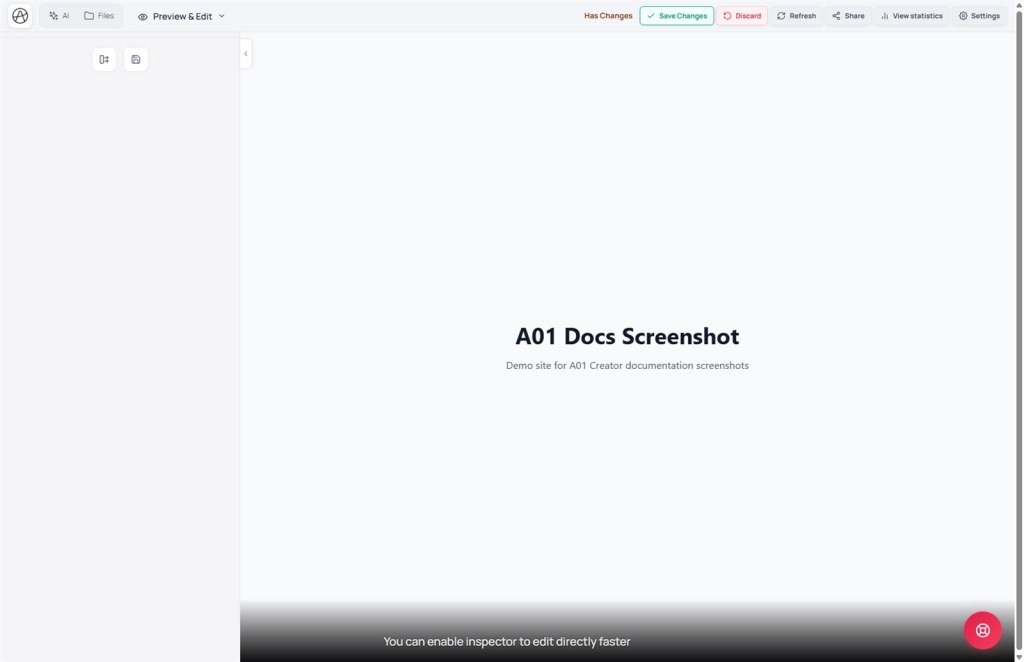
| Save changes | Publish draft to live | Preview toolbar (≠ Routes Save) |
| Unpublished draft | Badge: draft not published yet | Near Save changes |
| Refresh | Reload the versions list | Versions tab |
| Site online / Sync from site | Online = live site + stale warnings. Sync = pull live into the session (does not publish) | Link settings · Versions tab |
3. Step by step
- Step 1 - Clone: tab dropdown → Versions → Create new (Clone) → wait → Refresh if the list hasn’t updated.
- Step 2 - Confirm version: make sure you’re on the clone (not Clean unless you intentionally start over).
- Step 3 - Edit: AI prompt or Inspector on the Changes draft.
- Step 4 - Diff required: when AI returns files → open Compare changes: → ✓/✗ per file → Apply changes or Close.
- Step 5 - Multi-viewport preview: toolbar Changes → compare Current on Canvas (K03).
- Step 6 - Checkpoint (optional): flag an important AI message before risky experiments (T10).
- Step 7 - Controlled publish: when badge Unpublished draft and everything looks good → Save changes. Only Discard if you accept losing the draft.
4. Related features
Clone vs Clean - don’t mix them up
Create new (Clone) keeps all current files - safe for experiments. Create new (Clean) starts empty - only for intentional rebuilds. Mistaking Clean = lose the draft you’re working on.
Diff hint ✓/✗
Each AI-proposed file has accept ✓ or reject ✗. You can accept CSS and reject JS - not all-or-nothing.
Save changes ≠ Routes Save
Save changes publishes HTML/CSS/JS to live. The Save button on the Routes tab only saves route config - two independent actions.
5. Compared with other workflows
| Workflow | Equivalent | Creator note |
|---|---|---|
| Git branch + PR | Clone ≈ branch · Diff ≈ review · Save ≈ merge | No Git required - visual UI |
| Webflow staging | Draft vs Published | Changes/Current + Unpublished draft badge |
| Edit production directly | No staging | High risk - avoid; use Clone |
6. Can / can’t
You can
- Run large AI experiments on a clone while live stays unchanged
- Accept part of a Diff, reject the rest
- Switch back to an older version if the clone goes wrong
Limits
- Clone isn’t external CI/CD - only inside Creator
- Save changes has no automatic undo - Clone/Checkpoint first
- After publish, visitors see it immediately - no default “schedule publish”
7. Security before Save
- Review Diff for API keys, admin endpoints, or sensitive logging.
- Test forms/backend on Changes preview before publish - don’t ship auth bugs live.
- Clone before AI edits Backend/Secrets - avoid publishing the wrong config.
8. Common issues
| Situation | Fix |
|---|---|
| Edited the main version then Discarded | Next time always Clone first; Checkpoint early (T10) |
| Saved without reviewing Diff | Habit: Diff required before Save changes |
| Hit Clean by mistake, lost draft | Switch to the previous version in Versions; read labels carefully |
| Unpublished draft badge but empty preview | Select Changes; reload preview; confirm active version |
9. Tips
- Golden rule: Clone first, Save later - every large AI prompt.
- Diff is the last gate - don’t click Apply changes before reading Remove (−).
- Compare Current side-by-side with Changes on mobile before publish.
- Name/note clone versions when the UI allows - easier with many experiments.
10. Self-check & next
- Clone vs Clean - when to use each?
- Order: Diff → preview → Save - can you restate it?
- Save changes vs Routes Save?
- Does live change when you only edit a clone and haven’t Saved?
- How do ✓/✗ help when AI edits 3 files but you only want 1?
Next lesson
K03 - Responsive with Canvas breakpoints
After Clone/Diff safety, check layout on Desktop · Tablet · Mobile before Save.
Internal navigation (same language)
Appifio Creator · User guide · K02
