
Appifio Creator · Lesson AS10 · Intermediate · Aura series
why file names must match
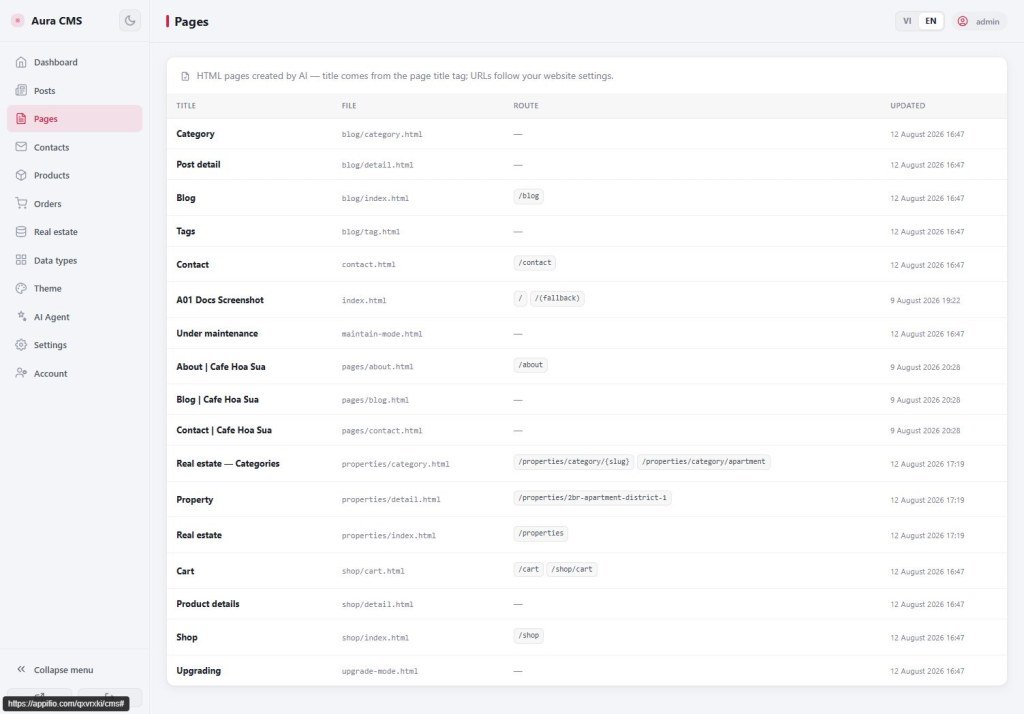
CMS already has 3 “Published” posts but the blog page is empty? Usually the page and CMS are not reading the same ledger.
Learning goals: Understand the content map (manifest); ask AI to read it before naming files; fix “CMS full / web empty”.
Previous: AS08 · Next: AS11 · CMS + Prompt / custom types: AS19-AS21 · ~12 minutes
1. “Same ledger” map
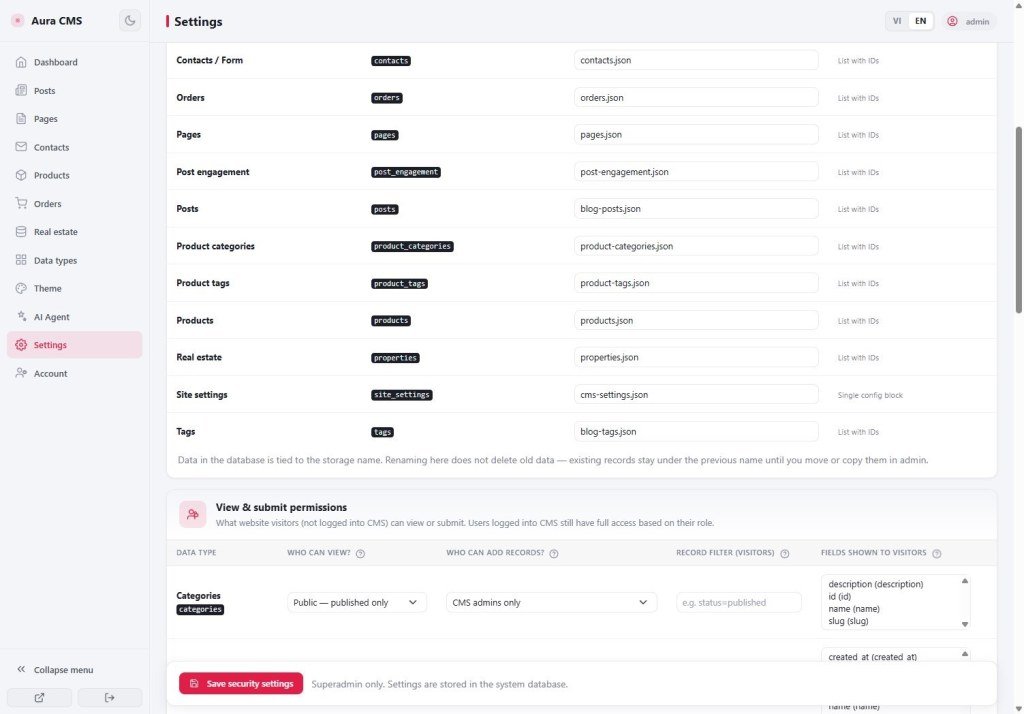
__cms_manifest__.json is like a library catalog: it says “which shelf holds posts.” You do not hand-edit system files - tell AI to read the catalog first.
2. Glossary
| Term | Meaning | Where you see it |
|---|---|---|
| Content map | Declares content type ↔ data file name (data_file) | __cms_manifest__.json (Files) |
| UI contract | HTML page + hook ids (#post-list, #de-item-list…) when editing layout | __cms_ui_contract__.json |
| Matching file name | The site reads the same ledger CMS writes - always from the live map, not from memory | Prompt / page code |
3. Steps when the page is empty
- Confirm CMS really has Published posts.
- Creator · Coder: “Read the CMS content map first; use the declared post data file name; fix the blog page to read that ledger.”
- Quick check: post count in CMS vs list on the page.
- Save changes → hard-refresh the live page.
3b. Hands-off system files & standard entities
Some system files must not be hand-edited / read-written like normal data:
| File | Do it the right way |
|---|---|
login.json | Only via login / Admin Management / CMS Accounts (AS05) |
routes.json | Routes tab · Add Route (AS04) - do not overwrite the file casually |
cms-settings.json | CMS settings / admin rights - light editors usually cannot edit |
| Internal shard folders | System-managed - do not ask AI to “open / edit shards” |
When CMS is on, standard ledger names (from the map):
| Type | Common file name | Guest append? |
|---|---|---|
| Posts | blog-posts.json | No |
| Contacts | contacts.json | Yes (form) |
| Products / Orders | Usually shop-products.json / shop-orders.json - re-read the manifest if your site differs | Orders: usually yes (checkout) |
| Pages / Categories / Tags | pages.json, blog-categories.json, blog-tags.json | No |
| Custom type (e.g. real estate) | Per the data_file you declare (e.g. properties.json) | No (CMS admin only) |
Custom types: create in the Panel (AS20) or ask AI to merge the two files correctly (AS21) - do not invent parallel file names. Prompt overview: AS19. Coder / security enforce: AM11. Security UI: AS11.
status === 'published'. Custom types filter with publish_state === 'published'. Wrong field → empty list even when CMS has items.4. Comparisons
- WordPress: theme queries the wrong post type → empty even though admin has posts.
- Airtable + frontend: wrong table name → empty UI.
5. Limits
You can
- Fix with a clear prompt
Do not
- Do not dig into internal CMS panel code
6. Checklist
- Does the prompt say “read
__cms_manifest__.jsonfirst”? - When editing layout: did you keep hooks from
__cms_ui_contract__.json? - Filter on
status(blog) orpublish_state(custom types)? - Did you Save changes and refresh live?
Next
AS11 - Content security settings
CMS + Aura detail: AS19 · Custom types / real estate: AS20 · AI merge two files: AS21
Internal navigation (same language)
Appifio Creator · Aura series · AS10
