
Appifio Creator · Lesson T10 · Technical
vs Versions (+ Undo)
Four layers of “go back” - different scopes. Mix them up and you lose work, or think you’re backed up when you aren’t.
Goal: Pick the right tool for the situation; know Checkpoint flags only on the newest AI message; tell History’s “Current” apart from the preview Current button.
Time: ~12 min · Before: E01, E02, H04 · After: T11
UI: Undo · Redo · History · Edit history · Restore this point · Delete · Current (in History) · checkpoint flag · Save checkpoint (manual) · Versions · Create new (Clone)/(Clean) · Refresh
1. Decision diagram
2. Comparison table
| Aspect | Undo/Redo | History | Checkpoint | Versions |
|---|---|---|---|---|
| Scope | Recent steps | Editor action points | Files + chat to an AI mark | Whole session |
| UI label | Undo / Redo | Edit history | Flag on AI message | Versions tab |
| How created | Auto per edit | Auto points | Gray flag / manual | Clean / Clone |
| Risk | Won’t undo past live Save | Doesn’t cover every AI write | Loses work after the mark | Clean = empty; Clone uses a slot |
3. Practice steps
- Undo: Toolbar Undo / Redo after a bad Inspector/drag (C03).
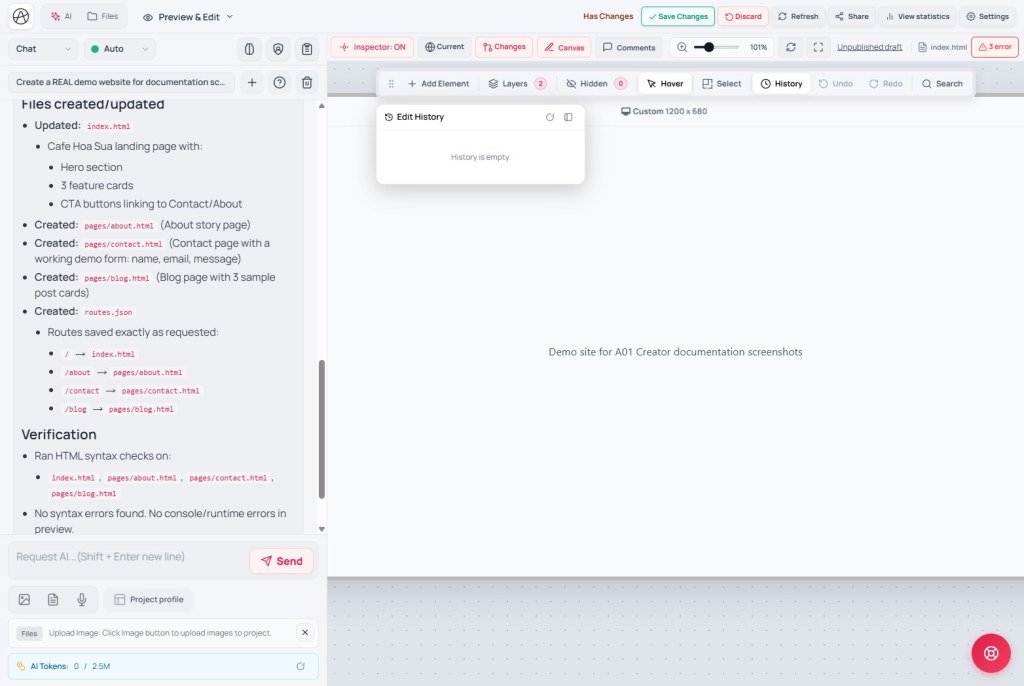
- History: History button → Edit history panel → pick a point → Restore this point (or Delete). Empty = History is still empty. Panel label Current = where the undo cursor sits - not the preview Current button.
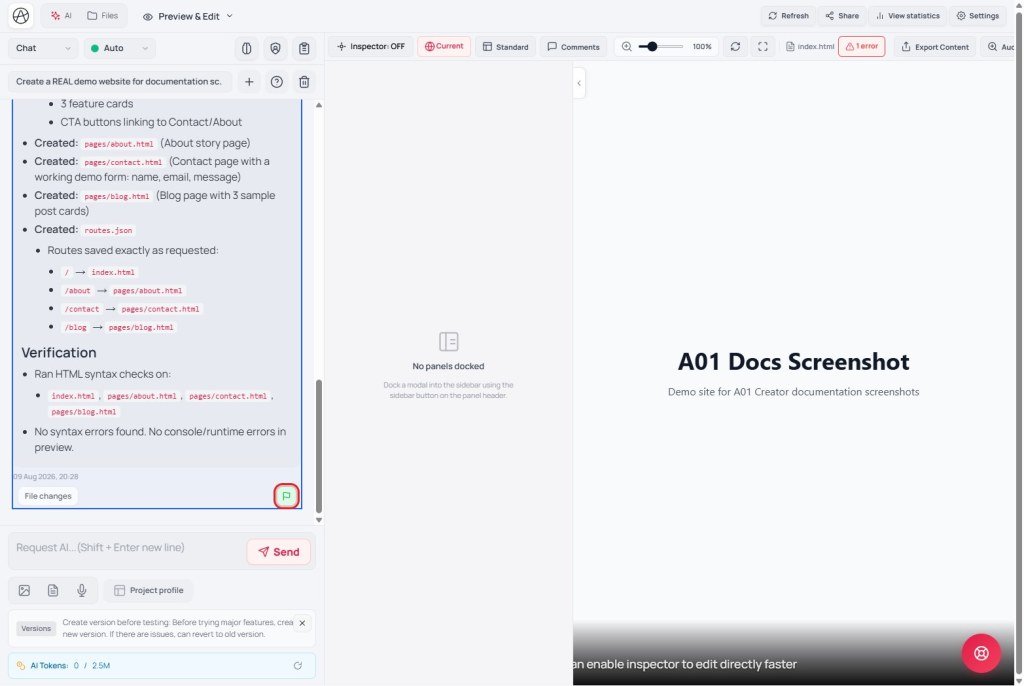
- Checkpoint: After a good AI reply → gray flag → Checkpoint saved successfully. Restore: green flag → Restoring checkpoint.... Newest AI message only.
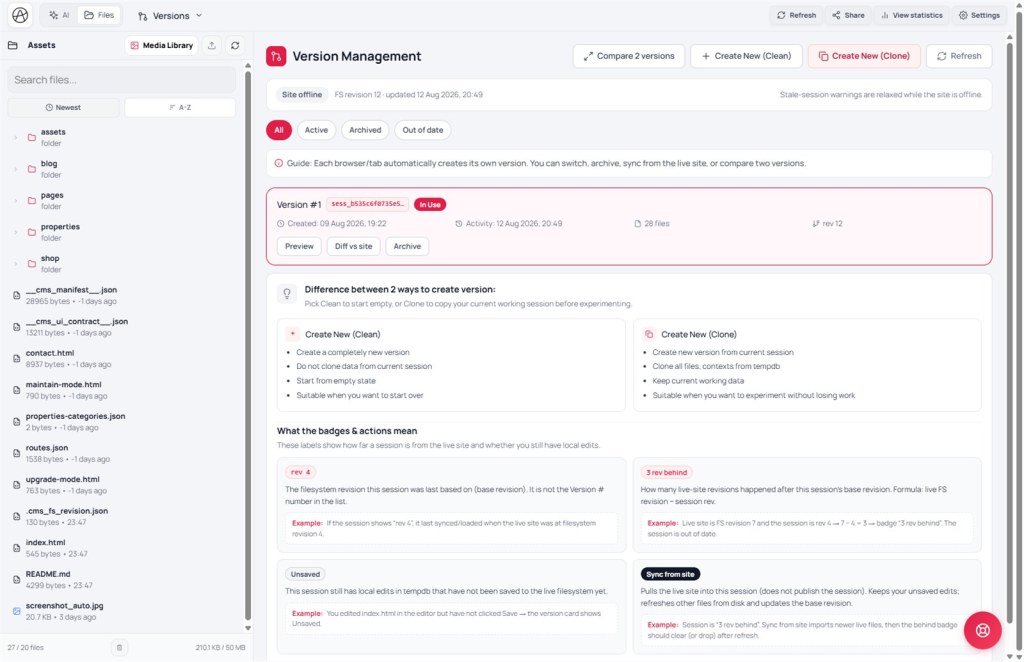
- Versions: Versions tab → Create new (Clone) before a big experiment; read rev / Unsaved / behind badges; when Site online → Sync or Diff before Save; use Compare 2 versions when needed; Clean only when you mean to start over → Refresh.
4. Comparisons · Limits · Security
- Git: Checkpoint ≈ light commit; Versions ≈ branch; History/Undo ≈ local undo - not a Git/CI substitute.
- Figma version history: closer to Versions than chat-tied Checkpoint.
Restoring a Checkpoint can drop work after that mark. Don’t casually clone sessions that hold secrets. Safe pipeline: Clone (K02) → edit → Diff → Checkpoint when stable → Save changes.
5. Issues · Checklist
| Issue | Fix |
|---|---|
| Can’t checkpoint an older message | By design - newest AI message only |
| History empty after a big AI write | Use Checkpoint/Clone - History doesn’t cover every AI write |
| Confusing History “Current” with preview | Check panel context (H04) |
| Clean wiped the site by mistake | Always Clone; Clean only on purpose |
- Do you pick Undo vs History vs Checkpoint vs Versions correctly?
- Before a large prompt, did you Clone?
- Do you know Checkpoint only works on the newest AI message?
Next: T11 - AI tokens & Prompt profile
Internal navigation (same language)
Appifio Creator · User guide · T10
