
Appifio Creator · Lesson T08 · Technical
- why a file can still 404
An HTML file on disk ≠ a URL visitors can open. A route is the bridge in routes.json; a missing route or a relative URL broken by the base tag is the classic 404 cause.
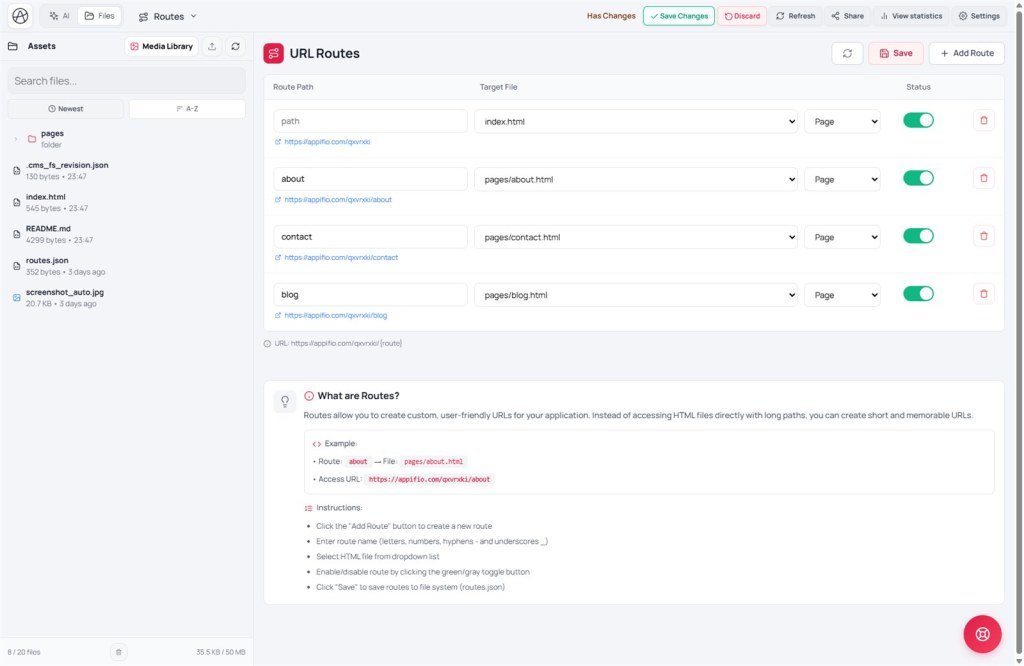
Goal: Do the five UI steps on the Routes tab correctly; understand nested slugs; absolute URLs; and Routes Save vs Save changes.
Time: 11-13 min · Before: D02 · After: T09
UI: Routes tab · Add Route · Route Path · Target File · green/gray toggle · Save
1. Diagram
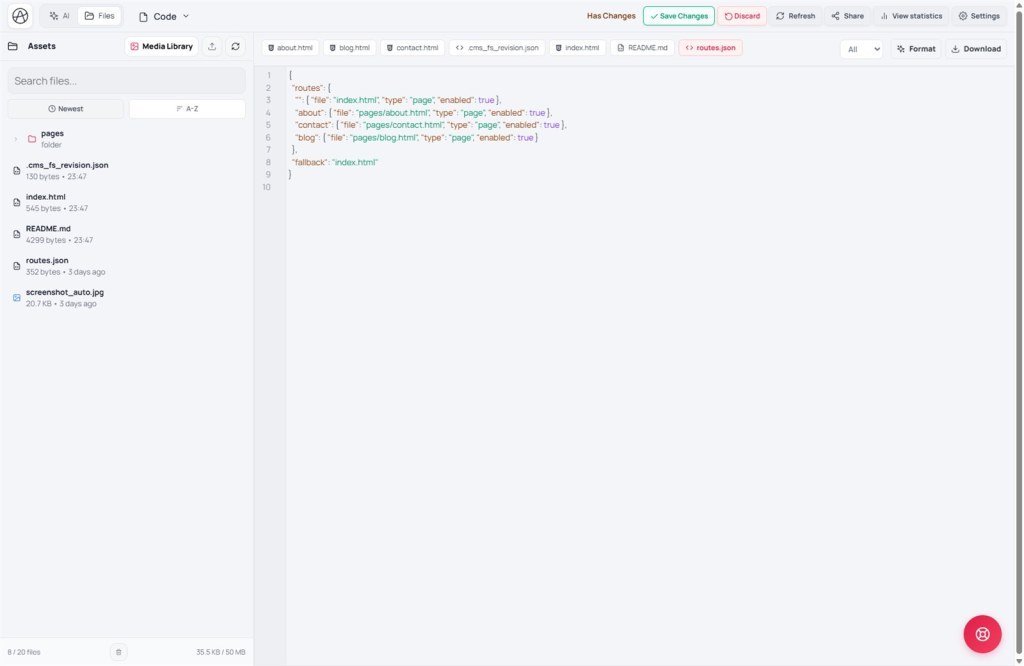
https://site/{url}/blog/hello-worldblog/hello-world → file blog-detail.html (example)2. Example routes.json (logic)
The CMS manifest may declare list/detail slugs - the route must match after you publish a post (G04/T05).
3. Glossary
| Term | Meaning |
|---|---|
| Route Path | Slug: letters, digits, - _; nested tag/slug |
| Target File | HTML file on the project file store (dropdown on Routes) |
| generateSlug() | Helper that builds a slug from a post title |
| Absolute URL | Required for navigation - the base tag breaks relative URLs |
| addRoute / removeRoute | APIs instead of hand-editing routes.json (T04) |
4. Five steps with exact UI labels
- Click "Add Route".
- Enter Route Path (letters, digits, hyphen, underscore only).
- Pick Target File from the dropdown.
- Enable the route - toggle green (gray = off).
- Click "Save" on the Routes tab → writes routes.json.
Don’t confuse: Save on Routes ≠ Creator toolbar Save changes. You need both if you’re on an unpublished draft virtual disk (T01).
5. Comparisons · Limits · Security
- Next.js file-based routing: file path ≈ URL; Appifio keeps file ↔ route separate.
- WordPress permalinks: rewrite ≈ routes.json.
Limits: duplicate slug → later route wins; no arbitrary wildcards unless the UI supports them.
Security: don’t route an admin page to an obvious slug without auth (T07). /cms is usually bootstrapped by Aura CMS.
6. CMS publish → route flow
- Editor publishes a post as Published in /cms - slug e.g.
hello-world. - CMS/manifest declares detail pattern
blog/{slug}→ route needsblog/hello-world. - AI or addRoute creates a route pointing to
blog-detail.html(or the file in the manifest). - Routes tab → green toggle → Save → Creator Save changes.
- Open the public URL - don’t open the raw file path on the server.
7. Issues · Checklist
| Issue | Fix |
|---|---|
| 404 even though HTML is under Files | Add Route + Save; toggle on |
| Internal links break | Absolute URL from site_url |
| Route edits don’t go live | Forgot Routes Save; then Creator Save changes |
| Deleted CMS post leaves a dead URL | Remove the matching route (X04) |
- After AI creates a new page, do you check the Routes tab?
- Do you Save on Routes (not only Save changes)?
- Do links in HTML use absolute URLs?
Next: T09 - View space (four modes)
Internal navigation (same language)
Appifio Creator · User guide · T08
