
Appifio Creator · Lesson T07 · Technical
and guests who are not signed in
Who can delete a post, who can delete an admin, who can only submit a form - get roles wrong and you get a security hole or a button that “does nothing.”
Goal: Know the permission matrix; understand the admin session; use the auth APIs correctly - never read login.json.
Time: 12-14 min · Before: F03, G01 · After: T08
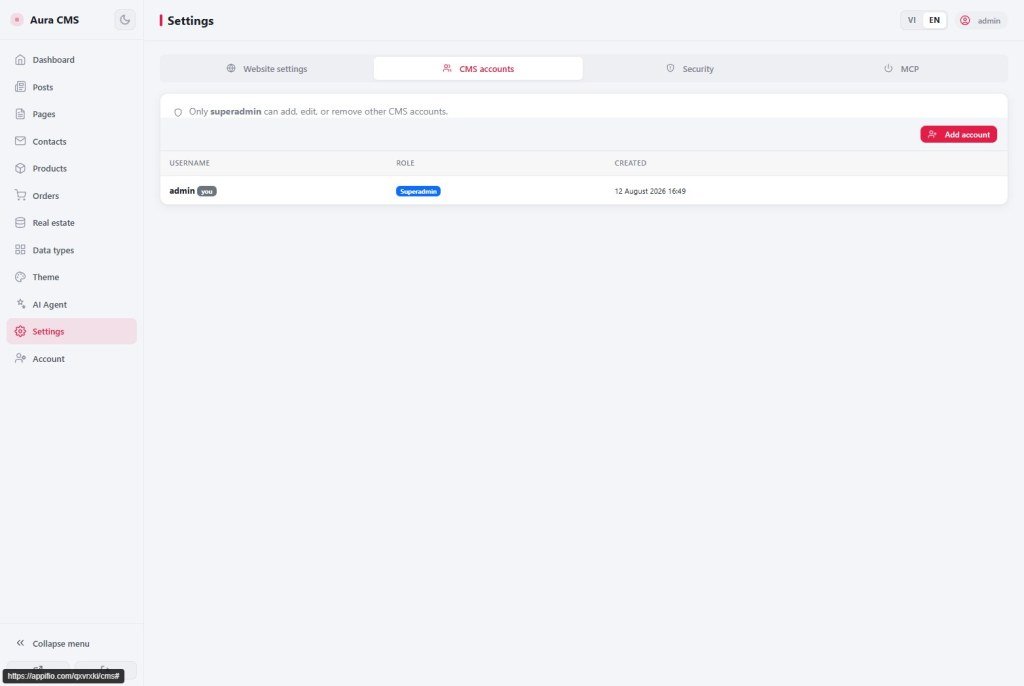
UI: /cms setup · Backend admin list · Add admin · Role Superadmin/Admin · Permissions
1. Permission diagram
2. API permission table (condensed)
| API / action | guest | user | admin | superadmin |
|---|---|---|---|---|
| appendData (public form) | ✓* | ✓ | ✓ | ✓ |
| updateData / deleteFile | ✗ | ✗ | ✓ | ✓ |
| writeFile cms-settings | ✗ | ✗ | ✓ | ✓ |
| registerAdmin / deleteAdmin | ✗ | ✗ | ✗ | ✓ |
* Guest append depends on CMS/manifest policy - the backend enforces it; hiding a button in the UI is not enough.
3. Glossary & admin session
| Term | Meaning |
|---|---|
| Admin session | After CMS login, the admin session is kept in the browser |
| Check admin still signed in | Admin pages verify the session - expired → login page |
| login.json | Direct read/write is denied (T04, X11) |
4. Steps
- First visit to
/{url}/cms: setup form → create a superadmin (Username, Password, Confirm). - Backend tab → Add admin → Role Superadmin or Admin.
- AI-built admin pages: check the admin session first; APIs carry admin rights after CMS login.
- Prompt tip: “Public pages only appendData. /admin requires login + the correct role.”
- changePassword → old sessions are invalidated (as the UI help describes).
- Offboarding: Delete admin + type the username to confirm (superadmin).
5. Comparisons · Security
- WordPress Subscriber/Editor/Admin: roughly maps to user/admin/superadmin.
- Firebase custom claims: role rides with the session - similar to admin rights after CMS login.
Security: never store passwords in plain text; never put the admin session in Git/HTML; hiding a button ≠ safe - the backend blocks APIs for the wrong role.
6. Example flow by page
7. Issues · Checklist
| Issue | Fix |
|---|---|
| user cannot delete a post | Correct by policy - promote to admin |
| Guest calls updateData | Backend blocks it - fix the frontend |
| Lost superadmin access | X11 - changePassword / support; do not edit login.json |
- Can you list guest vs superadmin rights?
- Do you keep AI from reading login.json?
- Are public and /admin pages calling APIs with the right roles?
Next: T08 - Routes vs file path
Internal navigation (same language)
Appifio Creator · User guide · T07
