
Table of contents
Appifio Creator · Lesson F05 · Intermediate → Advanced
Flat vs Indexed JSON:
pick the right data shape from day one
pick the right data shape from day one
F-series wrap-up: one rule that keeps you (and AI) from breaking data structure as the app grows - plain analogies, no coding required.
Learning goals: Tell flat from indexed, spot when AI wrote the wrong pattern, and know the limits of switching shapes mid-project.
Reading time: about 14-16 minutes
Prerequisites: F01-F02.
Previous → next: F02 → F05 → G01
1. Decision map (one question)
What is your data?
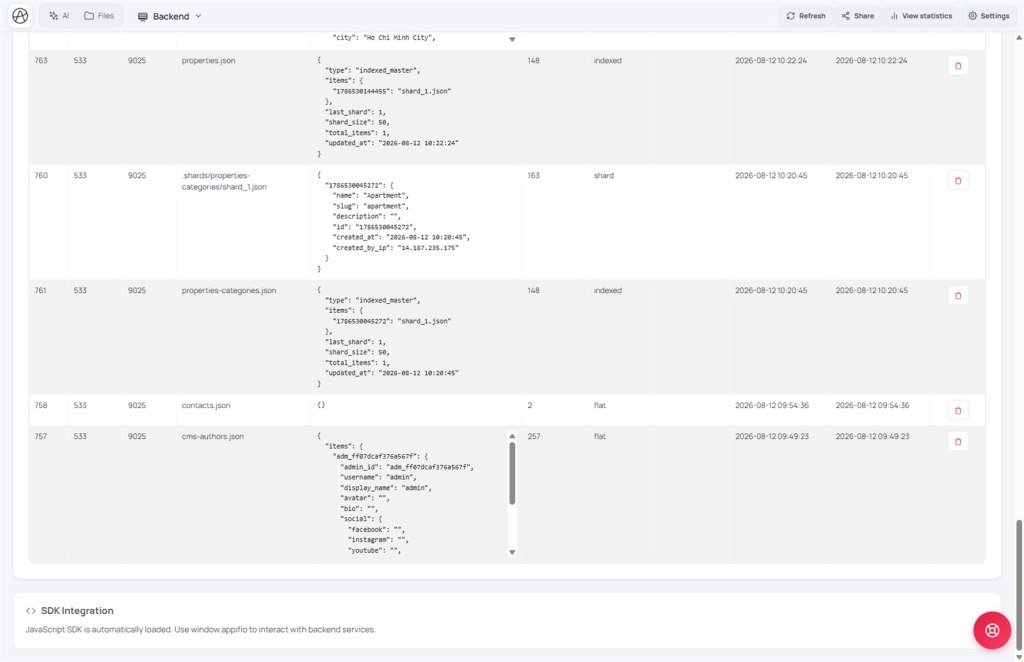
One config / one object (settings, theme, cms-settings)
→ flat - writeFile / readFile
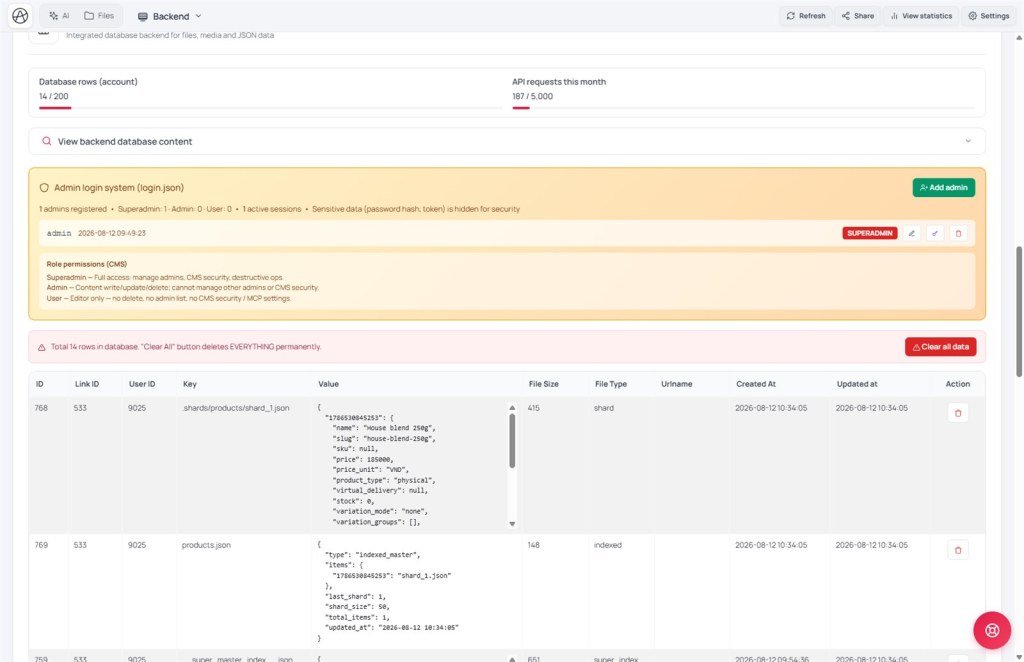
A list of many records (blog, products, contacts, orders)
→ indexed - appendData / readList / updateData
Analogy:
flat = one settings sheet taped on the wall
indexed = a registry book - each person adds a line; the system splits chapters when the book gets thick
2. Glossary (3 columns)
| Term | Meaning | Where in the UI |
|---|---|---|
| flat | One JSON object for the whole file - overwrite all when editing | CMS: Single config block (G05) |
| indexed | List of records with ids - add row by row; system auto-splits when large | CMS: List with ids (G05) |
| writeFile | API that overwrites the whole file - right for flat, wrong for lists | API name when briefing AI (F02/F05) |
| appendData | API that adds one record to an indexed list | Guest forms (F02) |
| readList | API that reads the full indexed list | Admin pages / CMS |
| __cms_manifest__.json | Defines file names/schemas when Aura CMS is on - AI must read it before naming files | Files tab (Creator) |
3. Detailed comparison
| flat | indexed | |
|---|---|---|
| Example files | cms-settings.json, config.json | blog.json, contacts.json, products.json |
| Create/update APIs | writeFile (overwrite all) | appendData (add), updateData (edit one) |
| Read APIs | readFile(fileName) | readList(fileName) or readFile(fileName, id) |
| No data yet | content: "" (empty, not an error) | content: [] (empty list) |
| id / created_at | None - you define fields | Server generates - forms can’t set them |
Classic mistake: AI uses
writeFile('blog.json', JSON.stringify([...all posts...])) every time a post is added. It “works” with few posts, but breaks list splitting, risks data loss when two people edit at once, and breaks Aura CMS. Fix it as soon as you see it.4. Check & fix when AI got it wrong
- Ask AI: “Which files are lists and which are config?” - let it self-audit.
- For each list file, check whether code calls
writeFilewith an array - if yes, that’s the red flag. - Ask: “Move list writes to appendData/updateData; use readList to read.”
- Open Backend → View backend database content - confirm list structure after the fix.
- If using CMS: ask AI to read
__cms_manifest__.jsonfirst - file names must match panel entities.
5. Compared with other tools
- MongoDB: collection ≈ indexed list; single config document ≈ flat.
- Airtable / Google Sheet: each table ≈ indexed - each row has an id; a Settings tab ≈ flat.
- WordPress: wp_options ≈ flat; wp_posts ≈ indexed.
- Notion database vs page: database ≈ indexed; settings page ≈ flat.
5b. Everyday examples (no JSON required)
- Shop settings (name, phone, brand color) = flat - one config sheet, overwrite the whole sheet when changing.
- Contact inbox / product catalog / orders = indexed - one row per item; adding a row must not rewrite the whole book.
- Brief AI clearly: “contacts is a multi-record list - use appendData, not writeFile for the whole file.”
6. Technical limits
You can
- Mix flat + indexed in one app (settings + blog)
- Lists auto-split when large (Advanced)
- CMS reads entities correctly if names match the manifest
Avoid / limits
- Switching flat ↔ indexed mid-project with real data
- writeFile for guest-submitted lists
- Custom file names that differ from the manifest once CMS is on
- Easy mode: complex indexed features may be limited (F01)
7. Common issues
| Situation | Fix |
|---|---|
| Two people add at once; one record vanishes | Classic writeFile-on-list bug - switch to appendData |
| CMS has posts but the blog page is empty | File name ≠ manifest - compare __cms_manifest__.json |
| readFile returns content: null | Indexed call with a missing id, or Security enforce filtering the record |
8. Tips - F-series wrap-up
- Ask before designing: “Will this grow into many records?” - if yes, it’s indexed.
- Remember the chain: F01 (Backend/Easy-Advanced) → F02 (form appendData) → F03 (login.json/roles) → F04 (Secrets) → F05 (flat/indexed).
- After F05, open Aura CMS at
/your-link-name/cms(G01) for day-to-day content.
9. Self-check
- Can you tell flat from indexed by API method names alone?
- Can you spot writeFile used on a list?
- Do you know when to read __cms_manifest__.json?
Next lesson
G01 - First time in Aura CMS: superadmin setup & login
Series G: day-to-day content via a dedicated panel - open /your-link-name/cms.
Internal navigation (same language)
Appifio Creator · User guide · F05
