
Appifio Creator · Lesson F02 · Intermediate
saved to Aura Storage (no CMS required)
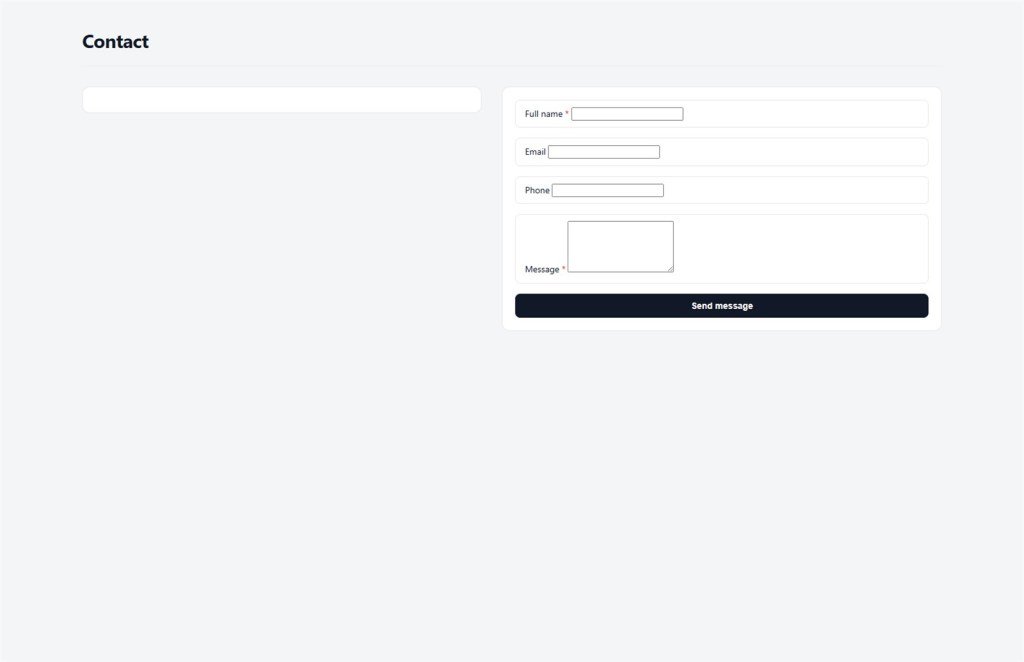
How guests submit a form without logging in - data lands in a list you can review later, even before you open Aura CMS.
Learning goals: Understand appendData, why guest forms always use indexed lists, how to review submissions, and what "Try again later" means when someone submits too fast.
Reading time: about 14-16 minutes
Prerequisites: Backend tab overview (F01).
Previous → next: F01 → F02 → F03 / G03
UI labels: Backend tab · View backend database content · Save changes · Changes / Current
1. Guest form flow
2. Glossary (3 columns)
| Term | Meaning | Where in the UI |
|---|---|---|
| Guest | Visitor who isn’t logged in - may only append new rows to a list | Public form on the site |
| appendData | API that adds one new record - the only guest mutation allowed without login | API name when asking AI to write code |
| Indexed list | Many records with ids - contacts, blog, orders | Backend table after data exists |
| created_by_ip | Sender IP - server attaches it; the form can’t fake it | Contact detail columns (CMS) |
| Try again later | Anti-spam message when submits come too fast - not a broken system | On the form after rapid Submit clicks |
| readList | API to read the full list - logged-in admin only | Admin page AI builds (F03) |
3. Steps - build a contact form (via AI)
- Step 1 - Check Backend: open Backend, confirm a valid API key and Advanced if you’ll use CMS later (F01).
- Step 2 - Ask AI: “Create a contact form with name, email, message; on submit save to contacts.json with appendData, no login. Show success or Try again later when rate-limited.”
- Step 3 - Test the draft: View & edit → Changes → fill the form → Submit → read the on-screen message.
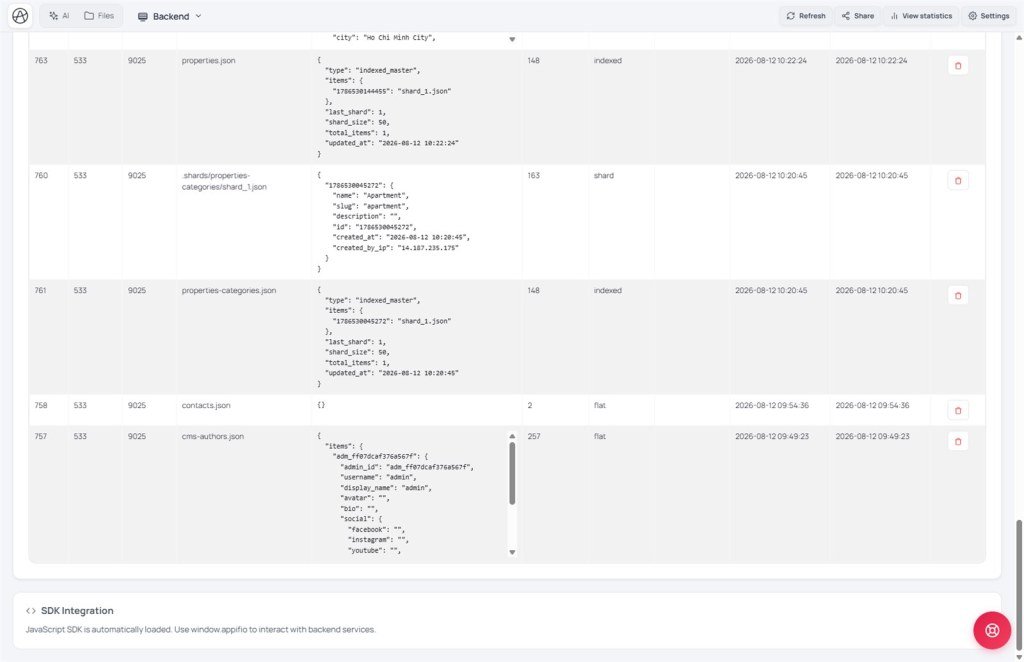
- Step 4 - Confirm data: Backend → View backend database content → find a key near
contacts.json. - Step 5 - Publish: when happy → toolbar Save changes → test again on the live link.
- Step 6 - (Optional) Admin page: ask AI for a list page with readList + admin login (F03). Or wait for Aura CMS → Contacts nav (G03).
4. Why always appendData - not writeFile - for lists
appendData is like dropping a letter into a mailbox - each person adds one, nobody overwrites another’s. writeFile of a whole array is like erasing the notebook and rewriting - two people submitting at once can lose data.
| Right (indexed) | Wrong (breaks lists) |
|---|---|
appendData('contacts.json', {name, email, message}) | writeFile('contacts.json', JSON.stringify([...])) |
readList('contacts.json') for admin view | Read/merge the whole file and rewrite on every submit |
5. Compared with other tools
- Google Forms / Typeform: form lives off-site; here the form sits on your landing and data lands in your app store.
- WordPress Contact Form 7: often email-only; Aura Storage + CMS lets you view/delete messages in a panel.
- Formspree: data lives on a third party; here it stays in app storage.
6. Technical limits
You can
- Public forms without login
- Auto id, timestamp, sender IP
- Review in Backend or CMS Contacts
- Email alerts via Backend Function + Secrets (F04)
Limits
- Guests can’t edit/delete others’ rows
- Too fast → Try again later (anti-spam)
- No built-in CAPTCHA - ask AI to add if needed
- Security enforce may disable guest append (G05)
7. Guest form security
- Guests may only appendData - not updateData, delete files, or read others’ lists via public API.
- "Try again later" appears when the same IP submits too often - wait a few minutes; don’t spam Submit.
- Ask AI for friendly on-form errors (try/catch) - so rate limits don’t look like a broken site.
- With CMS security controls on, check Contacts’ "Who can create?" still allows guests (G05).
8. Common issues
| Situation | Fix |
|---|---|
| Submit works but no Backend data | Confirm Save changes; refresh the DB table; test on live, not only Changes |
| Form says “Try again later” | Anti-spam rate limit - wait 2-5 minutes; not a system outage |
| AI used writeFile for the list | Ask it to switch to appendData/readList (F05) |
| Works on Changes, fails on live | Compare Current vs Changes; Save changes; check live API key |
9. Tips
- Use clear file names (
contacts.json,registrations.json) - easier to find in Backend. - Test Desktop and Mobile (Canvas) before Save changes.
- Need email on new contact → Backend Function (F04), not mail from the visitor’s browser.
10. Self-check
- Do you know why guest forms only use appendData?
- Can you review data in the Backend tab?
- Do you treat “Try again later” as anti-spam, not a broken site?
- Have you tested the form on live after Save changes?
Next lesson
F03 - Admin auth: login.json & roles
When only admins should see the contact list, learn login and the three roles.
Internal navigation (same language)
Appifio Creator · User guide · F02
