
Appifio Creator · Lesson F04 · Advanced
& Backend Function - keep secrets off the page
When the app calls outside services (email, payments…) with its own API keys, those keys live in Secrets manager. Only server-side Backend Functions may read them - browsers never see the full secret value.
Learning goals: Store secrets correctly, call a Backend Function from a page, and know the hard line between browser code and server code.
Reading time: about 12 minutes
Prerequisites: Backend API key (F01) and admin auth (F03).
Previous → next: F01, F03 → F04 → H01 (Webapp E2E)
1. Who runs where
2. Glossary (3 columns)
| Term | Meaning | Where in the UI |
|---|---|---|
| Secrets manager | Store for sensitive keys - only Backend Functions may read them | Backend tab |
| Add secret | Form for Key name + Secret value | Secrets manager |
| executeBackendFunction | Call a Node function from the page - params via appifio.params | Page code (AI writes) |
| Value not shown in full | After save, UI masks the value; functions must not return raw secrets | Secrets list + function response |
| Try again later | Rate limit when you test a function too often | Message on the test page |
3. Add a secret & write a backend function
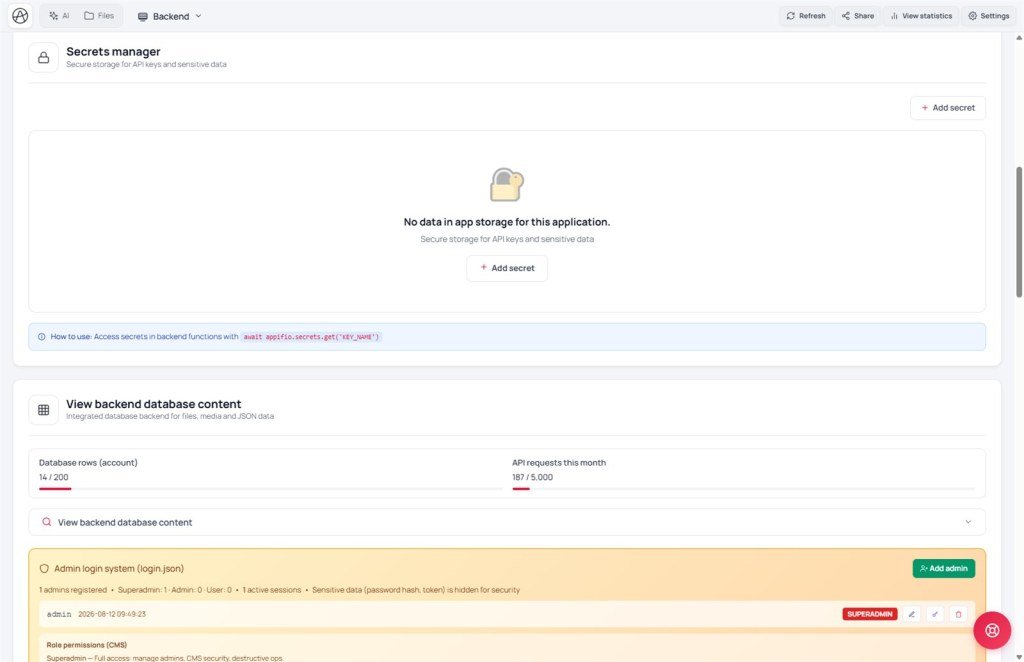
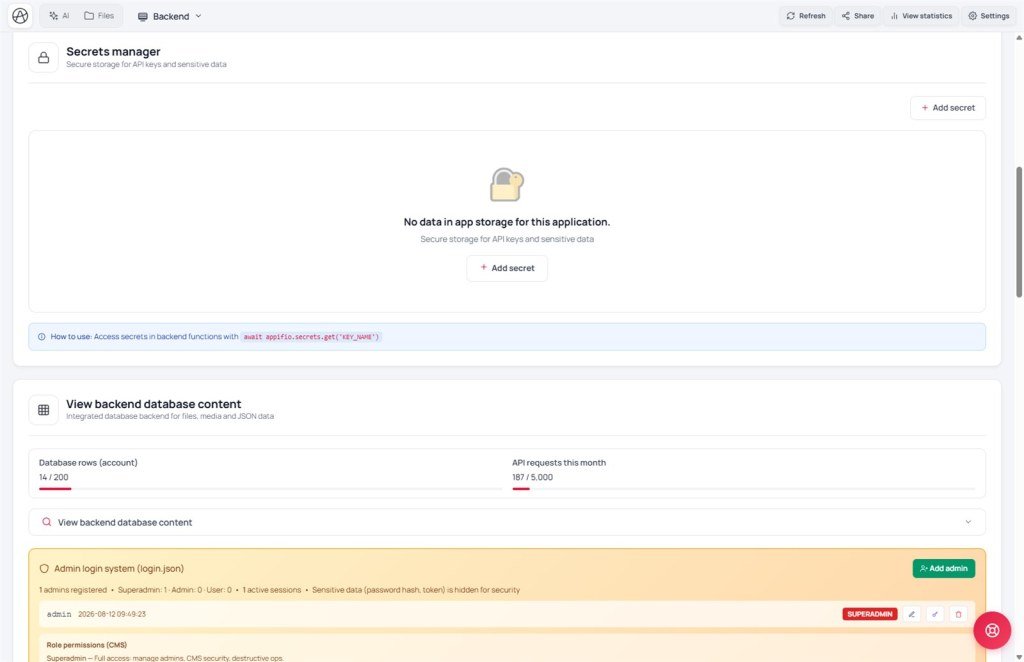
- Open Backend → Secrets manager → Add secret.
- Fill Key name (ASCII letters, digits, underscore only - e.g.
STRIPE_API_KEY) and Secret value; optional description. - After Save, the list shows the key name - value is not shown in full (masked). That’s intentional.
- Ask AI to write a file under
backend/functions/(e.g.sendMail.js) - inside the handler callappifio.secrets.get('SMTP_KEY'); never return the raw secret. - From the page:
await appifio_client.appifio_executeBackendFunction('sendMail', { to, subject }). - Add a temporary test button on an admin page before wiring the real production flow.
4. Compared with other tools
- Vercel/Netlify Functions + env vars: same “serverless + secret store” idea, but you deploy yourself; here it runs in Creator’s sandbox.
- Zapier/Make: connect APIs without code, but harder for custom Node logic.
- WordPress plugins calling outside APIs: often store keys in wp-config or DB; Aura keeps secrets separate from app data.
5. Technical limits
You can
- Custom Node (mail, pricing, webhooks…)
- Keep secrets fully out of client source
- Quick tests via a temporary admin button
Limits
- No deep per-run logs like a dedicated serverless console
- executeBackendFunction has its own rate window - use try/catch and “Try again later”
- No long background jobs (cron/queue) in this sandbox
6. Security - non-negotiable
AI-generated app code may call appifio.secrets.get('KEY') only inside backend/functions/*.js.
Live pages must never read backend/secrets/... from the browser - visitors have no right to secrets in any form.
- Backend handlers must not show secret values in full when returning to the client - confirm the key works; don’t dump it.
- With CMS Security enforce on, guests may be blocked from sensitive functions - call them from pages that already check an admin session.
- Renaming a secret key doesn’t auto-delete the old one - check carefully before renaming keys used in code.
7. Common issues
| Situation | Fix |
|---|---|
| “Key name cannot contain accented characters” | Use ASCII letters/digits/underscore only, e.g. MAIL_API_KEY |
| Function runs but returns 401 | CMS Security enforce blocking guests - call after admin login, or adjust Security settings |
| “Too many requests” while testing | executeBackendFunction rate limit - slow down tests, wait, retry |
8. Tips
- Name secrets clearly and add a description - months later you’ll forget which key belongs to which service.
- Ask AI for a dedicated test button when writing a function; remove or hide it before public launch.
- Don’t paste secrets into a public chat prompt - only into the Secrets manager form.
9. Self-check
- Do you know secrets are only readable inside backend/functions, not client code?
- Do you know why handlers must not show secret values in full on screen?
- Do you know the system may temporarily block too many executeBackendFunction calls?
Next lesson
F05 - Flat vs Indexed JSON
Wrap up how to pick the right data shape - the most common AI backend mistake.
Internal navigation (same language)
Appifio Creator · User guide · F04
