
Appifio Creator · Lesson E02 · Intermediate
mark a point and restore fast - without Versions
A Checkpoint snapshots the current session (source code and chat state) on an AI reply so you can return later without opening Versions.
Learning goals: Create a checkpoint at the right time (latest AI message), restore when needed, and tell Checkpoint apart from Versions (E01).
Reading time: about 12-15 minutes
Prerequisites: You’ve chatted with the AI Agent (B01); read E01 for comparison.
Previous / next: ← E01 (Versions) · → E03 (Save changes · Discard · Share & Review)
Main UI labels: Flag icon on AI messages · Save checkpoint (manual) · Restore this checkpoint
1. Workflow map
2. Glossary
| Term | Meaning | Where in the UI |
|---|---|---|
| Checkpoint | Snapshot of source + chat state at a specific AI message | Flag under AI messages |
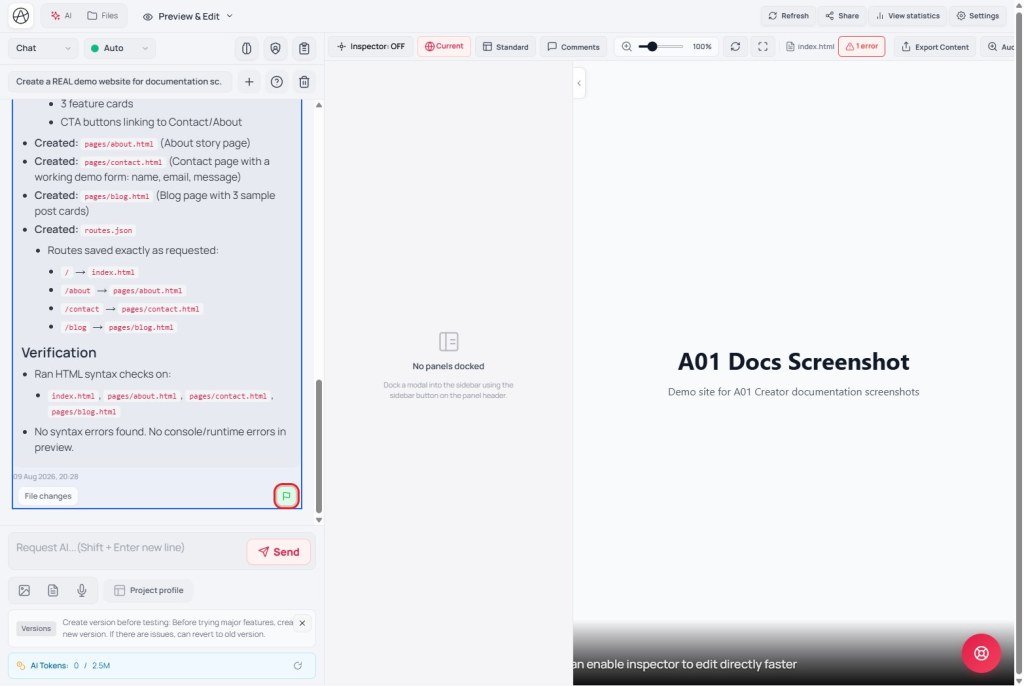
| Gray flag | This message has no saved checkpoint | Bottom-right of each AI message |
| Green flag | This message has a saved checkpoint | Bottom-right of each AI message |
| Save checkpoint (manual) | Create a new mark - only on the latest AI message | Tooltip on gray flag |
| Restore this checkpoint | Return project + chat to that saved state | Tooltip on green flag |
3. Create a checkpoint
Click the gray flag on the latest AI message. Success: Checkpoint saved successfully. While restoring you’ll see Restoring checkpoint… (don’t confuse with creating).
Important: “Only the latest AI message can save a checkpoint. This message is past that point.” - you can’t create checkpoints retroactively on older messages; only the last AI reply in the current chat.
4. Restore a checkpoint
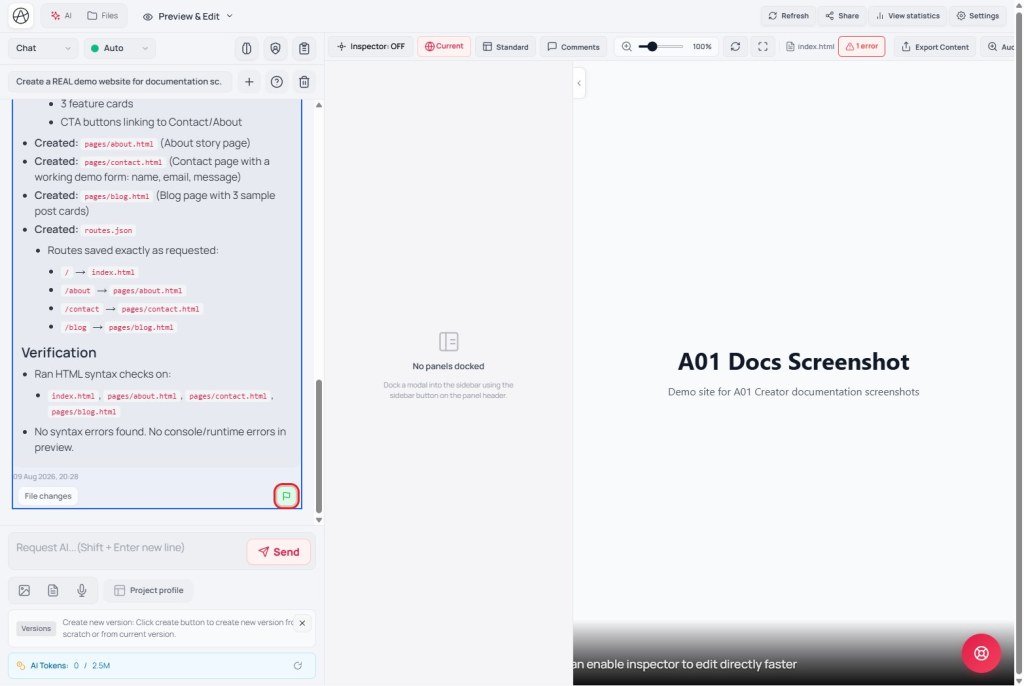
Click the green flag to return project and chat to the saved state. Success: Checkpoint restored successfully.
Warning: Work after the checkpoint is lost; after restore you only keep that mark and a place for a new mark on the latest AI message. Be sure you want to drop recent changes before confirming.
5. Checkpoint vs Versions (E01)
| Checkpoint | Versions (Clean/Clone) | |
|---|---|---|
| Tied to | One AI message in the chat | An independent session (browser/tab) |
| What it stores | Source files + conversation (not images - kept light) | All session files, contexts, user contexts |
| Where it lives | Browser only, current edit session - reload/close tab loses it | Stored on the system; survives reopening Creator |
| Use when | Quick rollback in the same session before a big AI change | Long experiments or several parallel copies across days |
Because Checkpoint only lives in the browser for the current edit session, always use Save changes on the toolbar to write project files for lasting safety - Checkpoint does not replace Save changes.
6. Compared with popular tools
| Tool | Similar | Different |
|---|---|---|
| Cursor (chat checkpoints) | Mark a point on an AI message to return | Creator only creates on the latest AI message - no retroactive marks |
| Lightweight Git commit | Save state at a point in time | Not a free commit history - one checkpoint per message at a time |
| Google Docs version history | Return to an earlier state | Creator checkpoints aren’t automatic - you click deliberately |
7. Technical limits
You can
- Create a mark in one click inside the chat flow
- Restore source and chat history together
- Keep snapshots light (images excluded)
You can’t
- Checkpoint older AI messages than the latest
- Keep checkpoints across page reload or closed tabs
- Partial restore - always full project + chat to that mark
8. Common issues
| Issue | Fix |
|---|---|
| Can’t checkpoint an older message | By design - only the latest AI message; send another message if you need a new “latest” |
| Reload and checkpoint is gone | Expected (browser session only) - use Save changes or Versions (E01) for lasting storage |
| Restored by mistake, lost recent work | Read the warning before confirming; check Versions/backup if already restored |
| “Couldn’t read project files for checkpoint” | Retry after a few seconds; reload Creator if it persists |
9. Tips
- Checkpoint right before a large/risky AI request - faster than multi-step Undo.
- Use Checkpoint for short same-day trials; use Versions Clone (E01) for multi-day experiments.
- Don’t skip Save changes - Checkpoint is not a permanent backup.
10. Self-check
- Have you created a checkpoint (gray → green) on the latest AI message?
- Do you understand why older messages can’t get new checkpoints?
- Can you name at least two differences vs Versions?
- Do you know checkpoints vanish on reload, and that Save changes is the lasting fix?
Next lesson
E03 - Save changes · Discard · Share draft & Review
Publish when ready, share a draft link for preview, and collect feedback in Review mode.
Internal navigation (same language)
Appifio Creator · User guide · E02
