
- 1. What is the AI Agent in Creator?
- 2. Capability map (11 groups)
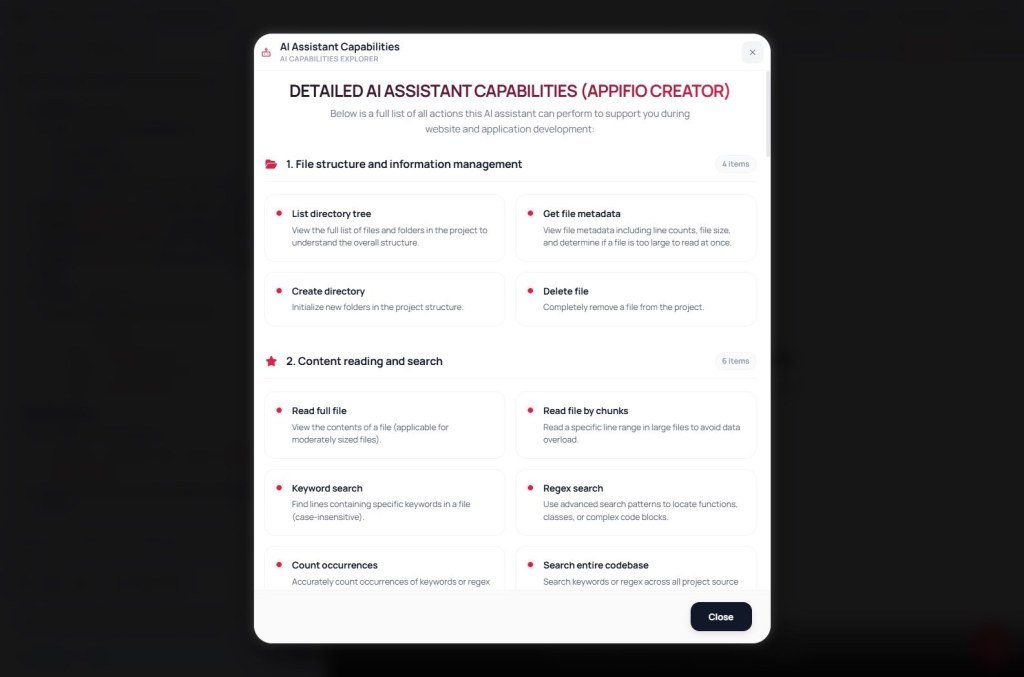
- 2.1 Structure & files
- 2.2 Read & search
- 2.3 Source editing
- 2.4 Safety & process
- 2.5 Documents & external web
- 2.6 Interaction & support
- 2.7 Context memory (automatic)
- 2.8 Project Spec
- 2.9 Supervisor mode
- 2.10 Multiple conversations
- 2.11 Checkpoint (flag on AI messages)
- 3. Working modes - pick the right role
- 4. What AI does well / what you still own
- 5. How to ask the AI (short templates)
- 6. User checklist
- 7. Why is this lesson coded BR03?
Appifio Creator · Report BR03 · AI Agent
capabilities · limits · how to ask well
A clear map for users: the Creator AI assistant reads/edits code, asks you questions, plans work, debugs preview - and what you must configure (Prompt, Backend) so it generates correctly.
Goals: Know what AI can / cannot do; open the right place in Creator to see the list; ask the AI effectively.
Time: about 12-15 minutes
Audience: makers, site owners, people chatting with AI in Creator.
Read with: BR01 · BR02 · F01 · AS19 (CMS) · AS13-AS16 (MCP)
Note - the AI does not “already know” Easy/Aura
File/tool capabilities are built into the Agent. Storage rules (Easy / Aura / CMS) enter the session only when you enable a template under Prompt & skills → Appifio prompt template.
Also recommended: Appifio Creator - Storage · CMS · MCP Prompt Extension (asks mode, then reminds you to enable the matching guide). Mode choice: BR02 · CMS: AS19.
1. What is the AI Agent in Creator?
It is an execution assistant on your app folder (HTML / CSS / JS): read files, edit code, create pages, ask follow-ups, check preview errors - not a chatbot that only advises.
- It only works in the draft (“Changes” preview). Visitors see live after you click Save changes.
- It does not pick Backend Easy/Advanced for you - you choose on the Backend tab; the AI needs your confirmation + matching Prompt enabled.
- It does not edit the platform CMS admin UI at
/cms; it can edit guest pages and (when asked correctly) site content declaration files.
2. Capability map (11 groups)
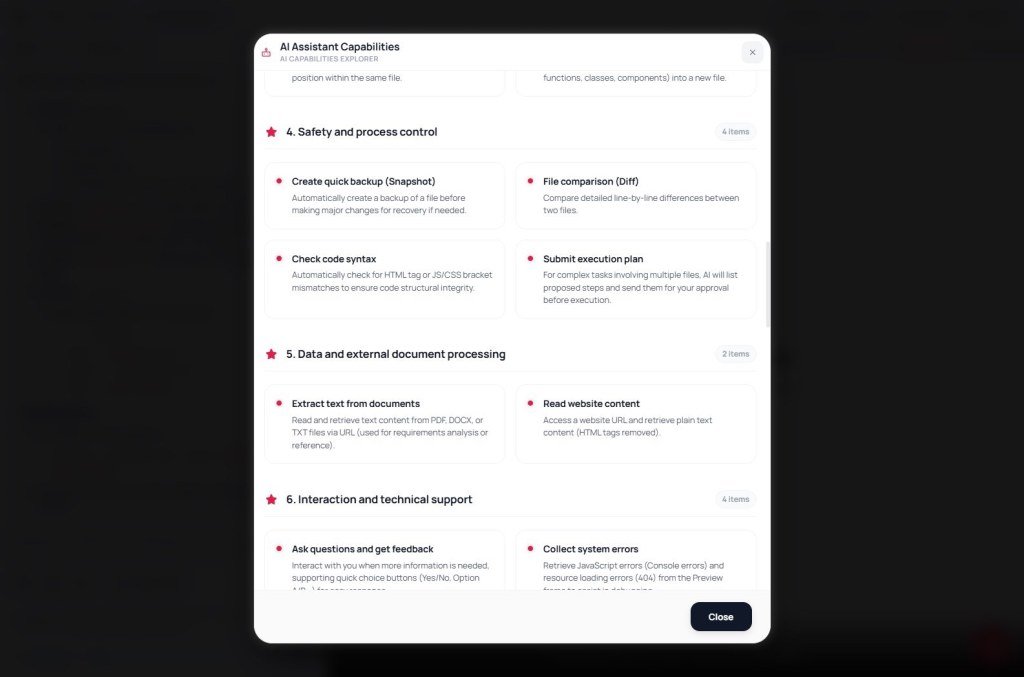
Matches the list in the AI Assistant capabilities modal.
2.1 Structure & files
- Browse the file tree / file metadata (line count, size, large files).
- Create folders · delete files (when the task requires it).
2.2 Read & search
- Read a whole file or by range (large files).
- Keyword / regex search in one file; count matches.
- Search the whole codebase (HTML, CSS, JS, JSON…) - once instead of hunting file by file.
2.3 Source editing
- Create / overwrite files; replace snippets; edit by line number; many spots in one pass.
- Delete lines · find-and-replace in bulk · move / copy code blocks.
- Extract functions/components into separate files when reorganizing.
2.4 Safety & process
- Snapshot before large changes · compare (diff) two files.
- Syntax checks (HTML tags, JS/CSS brackets).
- Multi-step / multi-file plans - you approve before the AI executes.
2.5 Documents & external web
- Extract text from PDF / DOCX / TXT via URL.
- Read text content from a page URL (not free-form “Google search”).
2.6 Interaction & support
- Ask you with quick-choice buttons (Yes/No, A/B…).
- Pull console / 404 errors from the Preview frame to debug.
- Analyze images you send (vision) when working on UI.
2.7 Context memory (automatic)
- Remembers project name / description; agreed style and decisions in the session.
- Summarizes after a stretch of work so the next session is not a total blank slate.
2.8 Project Spec
- Open the Spec panel: brand, colors, mission, fonts, Figma links…
- Syncs into project guidance; the AI may ask you to fill it before large UI work.
2.9 Supervisor mode
- When on: checks after AI actions, suggests / fixes issues, reports clearly.
- Complements the main Agent - does not replace you reviewing preview.
2.10 Multiple conversations
- Multiple chat threads in one project; switch via dropdown; create New; delete only messages in the open thread.
- Website files in the editor are not reset when you start a new chat; chats are saved with the project.
2.11 Checkpoint (flag on AI messages)
- Gray flag = create a milestone · green flag = saved / restorable.
- Restore to a saved milestone (work after that point is lost). Only on the latest AI message.
- Checkpoints live in the browser session (code + chat; not heavy images). Closing the tab can lose them - use Save changes to persist the project.
3. Working modes - pick the right role
| Mode | When to use |
|---|---|
| Chat | Q&A, compare options; illustrative snippets - not long implementations |
| Coder | Primary write/edit code; small-correct-safe changes |
| Debug | “Changes” preview errors; prioritize syntax + console |
| UI | UI/UX, responsive, style from reference images |
| Architecture | Analyze / propose structure - usually does not deep-refactor unless you ask |
4. What AI does well / what you still own
AI does well
- Build / edit HTML·CSS·JS pages
- Routes + matching files
- Forms / lists once the right Storage Prompt is on
- Debug from the errors you / console provide
You / the product
- Choose Backend Easy/Advanced + Save changes
- Enable the matching Prompt template
- Confirm brand content (Spec)
- Go live = Save changes
5. How to ask the AI (short templates)
Page / UI: “Build a mobile-first home page for [brand]; ask Spec if colors/logo are missing; edit index.html; do not invent copy.”
Storage: “Before Storage code: ask Easy or Aura + CMS; remind me to enable the matching Prompt template; then write the contact form.”
Bugs: “Changes preview shows [describe]. Check syntax + console; fix step by step; list files touched.”
Editing via MCP/IDE: see AS13-AS16 - draft ≠ live until Save changes.
6. User checklist
- Opened the AI Assistant capabilities modal at least once?
- Chat mode fits (Coder / Debug / UI…)?
- Backend + Prompt template match (BR02 / F01)?
- Spec / brand content confirmed before a large task?
- After the AI finishes: review Changes preview → Save changes when you need live?
- Know how to use checkpoint flags for risky experiments?
7. Why is this lesson coded BR03?
BR = orientation report series: BR01 (how to use Appifio) → BR02 (Easy vs Aura) → BR03 (what the AI Agent can do). Same “understand before going deep” layer as EM/AM/AS - not a substitute for per-API tutorials.
Next
F01 → Backend · Prompt template · then ask AI (Coder)
CMS: AS19 · MCP: AS13 · Storage comparison: BR02
Internal navigation (same language)
Appifio Creator · Report · BR03 · AI Agent capabilities
