
Appifio Creator · Lesson AM01 · Method series · Usable without being a developer
how to call it & the standard response
Starter lesson: the helper already on your page, how to read success / message / data, and a full method map from the Aura Storage API reference - no PHP required.
Learning goals: Call await appifio_client.…(), read the result correctly, and know which of AM02-AM08 covers each method group.
Prerequisites: Backend tab → Advanced → save in that tab → click Save changes.
Canonical source: Aura Storage API guide · API REFERENCE
Important - Prompt & Skills
Creator → Prompt & Skills → Appifio prompt template → turn on exactly: Appifio Aura Storage (Advanced) - Complete AI Guide. The agent then has the Storage prompts/skills - you do not need to paste Storage docs yourself.
Do not enable the Easy template (Appifio Easy Storage - Complete AI Guide) at the same time - that conflicts and confuses the AI.
1. Simple mental model
Your page already ships with a helper named appifio_client. You only name the job (a method) - the helper talks to Aura Storage and replies. You do not rewrite the helper.
2. Standard result box (every network method)
| Field | Plain meaning | Type |
|---|---|---|
success | Did it work? | true / false |
message | Success or error text | string |
data | Useful payload (list, id, url…) - may be missing on failure | object (varies by method) |
success: false. Wrap calls in try/catch and show a friendly message (e.g. “Try again later”).The client attaches your project id and admin session (if you are logged in) automatically - you do not hand-wire those on every call.
3. Safe call pattern (copy-ready)
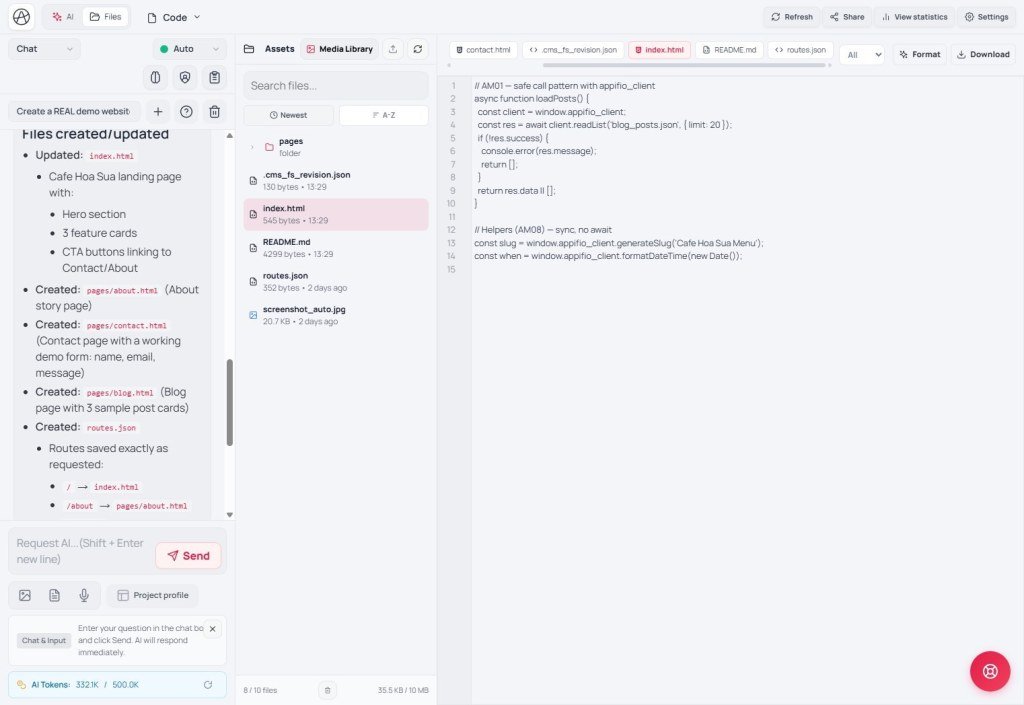
try {
  const res = await appifio_client.appifio_readList('contacts.json', ['id', 'name', 'email']);
  if (res.success) {
    const rows = res.data?.content || []; // lists always live under content
    // ... render on the page
  } else {
    alert(res.message || 'Could not read data');
  }
} catch (e) {
  alert(e.message || 'Connection error - try again later');
}typeof appifio_client === 'undefined' to “wait for load”. The system queues calls until the client is ready. Offline helpers (AM08) are called without await.4. Who can call? (Auth - short)
| Label in AM lessons | Meaning |
|---|---|
| Public | Works for visitors who are not logged into admin (default) |
| Admin+ | Requires login (user / admin / super admin) unless noted otherwise |
| Super admin | Highest owner account only |
| Role user blocked | Light editor role: some delete / dangerous actions are blocked |
5. Full method map (API REFERENCE → AM lessons)
| § | Methods (complete list) | Lesson |
|---|---|---|
| 1 | readList, readFile (+id), appendData, updateData | AM02 |
| 2 | readFile (flat), writeFile, createFile, deleteFile, restoreFile, hardDeleteFile, renameFile, copyFile, fileExists, getFileInfo, listFiles, searchFiles, findByName, readField, writeField | AM03 |
| 3 | readFsFile, writeFsFile, deleteFsFile, listFsFiles, getFsFileInfo, uploadImage, uploadFile | AM04 |
| 4 | getRoutes, addRoute, removeRoute | AM05 |
| 5 | login, logout, getSession, validateAdminSession, isLoggedIn, getAuthSetupStatus, registerAdmin, changePassword, updateProfile, listAdmins, updateAdmin, deleteAdmin | AM06 |
| 6 | executeBackendFunction | AM07 |
| 7 | generateSlug, formatDateTime, formatFileSize, getRouteSlug, getQueryParams | AM08 |
All guide sections → AS / AM lessons
| Guide section | AS (concepts / UI) | AM (technical) |
|---|---|---|
| Overview | AS01 | AM01 (map) |
| Globals & bootstrap | - | AM09 |
| Date/time formatting | - | AM08 |
| Data structures | AS02 | AM02 |
| Admin authentication | AS05 | AM06 |
| Absolute URLs | AS04 | AM10 |
| Empty data & routes | AS03 · AS04 | AM10 |
| Rate limit & IP block | AS03 | AM10 |
| API REFERENCE | - | AM01-AM08 |
| Backend functions & secrets | AS06 | AM07 |
| Deployment flow | AS17 | (+ AM12) |
| System files & Aura CMS | AS07-AS12 | AM11 |
| Worked examples | - | AM12 |
6. How to read each method card later
Every function in AM02-AM08 includes:
- What it does - one plain sentence
- Who can call - Public / Admin+ / …
- Parameters - what you pass in
- How to call - sample line
- Return value - exact fields under
data - Notes - easy mistakes / limits
7. Checklist
- Can you check
successand readdata? - Do you know lists live under
data.content(AM02)?
Internal navigation (same language)
Appifio Creator · Method series · AM01
