
Appifio Creator · Lesson H03 · Advanced
Capacitor APK export (BETA)
Be clear: previewing an Android frame ≠ a store-ready app. Know when to use Android Mock, when to use Export APK, and what the system cannot do.
Learning goals: Toggle Android Mock correctly; know mock only simulates layout; know the BETA path to Capacitor/Kotlin APK and free-plan limits.
Reading time: 12-15 minutes
Prerequisites: E04 (Export), C01 (View space). Prefer a stable draft.
Main UI labels: Android Mock · Canvas/Standard · Export · Export content · Templates tab
Previous → next: H02 / E04 → H03 → H04
1. Three layers - don’t mix them up
2. Glossary
| Term | Meaning | Where |
|---|---|---|
| Android Mock | Preview that mocks Android controls (TextView, Button, EditText, Switch, DatePicker…) - not installing an APK | View space toolbar (hard-coded DOM label) |
| Capacitor | Wrap HTML/CSS/JS in an Android shell → .apk file | Templates tab · Export APK |
| Kotlin native | Android app in a native direction (not only WebView) | Note Kotlin Native sample |
| Layout warnings | Layout warnings when mock renders (duplicate ids, missing attrs…) | Inside the mock frame |
| Mobile (button) | Narrows the web viewport - different from Android Mock | Right side of preview toolbar |
3. Steps - turn on Android Mock
- Open the tab dropdown → "View & edit".
- Pick the version to check: "Changes" (draft) or "Current" (live).
- If "Android Mock" is on the left toolbar (some versions/templates show it when the project has suitable Android/XML structure), click to enable.
- Watch: the iframe switches to the mock frame; if you were on "Canvas", the system may fall back to "Standard" preview (Canvas disabled while mock is on).
- Read any Layout warnings - ask AI (Debug or UI mode) to fix them.
- Turn mock off by clicking "Android Mock" again, then return to "Canvas" if you need web breakpoints.
DOM note: The button label is exactly Android Mock (not translated). Don’t confuse it with Mobile.
4. Path to APK (BETA) - in order
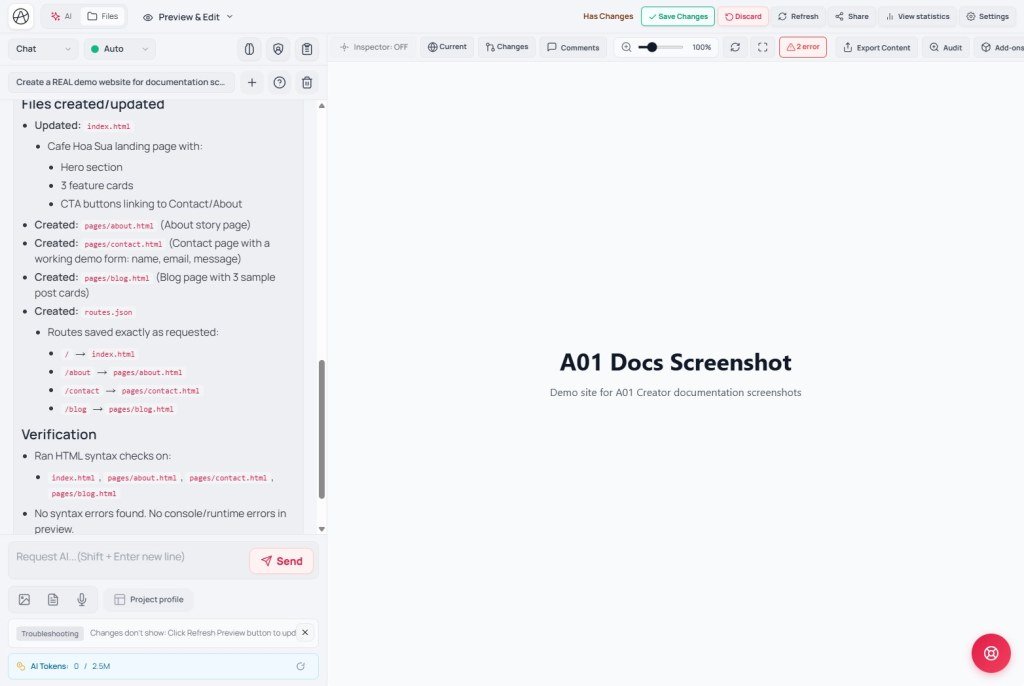
- Finish web UI + (optional) mock checks.
- Fill Project profile (app name, logo) - Export uses this for App Name / packaging assets.
- (Recommended) Open "Templates" → review Capacitor / Kotlin samples before a real build - warning: applying a template DELETES ALL files, routes, and temp data. Prefer "Create new (Clone)" on the "Versions" tab first.
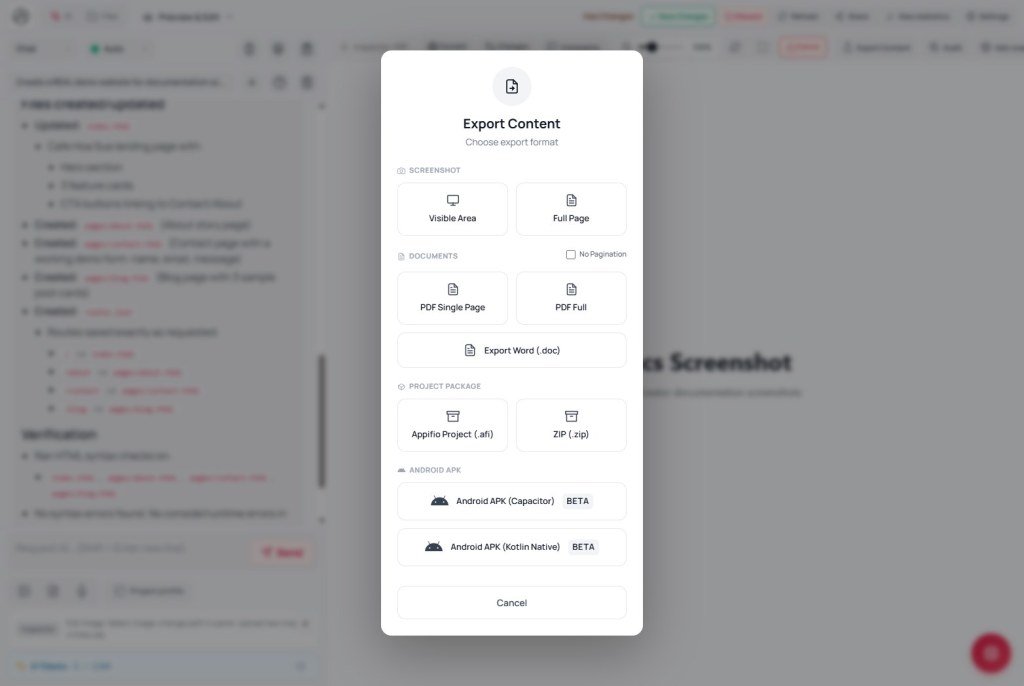
- On the preview toolbar click "Export" → "Export content" modal.
- Choose Export APK (BETA) - don’t confuse with Appifio project (.afi) (source backup, not an installable phone app).
- Watch status: Building APK… → download .apk, or Build failed / Heavy task unavailable on free plan.
- Install the APK on a real device before client delivery.
5. Compared with other tools
- Android Studio / Emulator: full device sim + native debug - Appifio Mock is layout preview only.
- Capacitor CLI / Ionic: standard external build; Appifio wraps part of it in Export (BETA, plan-dependent).
- Bubble / Glide: also “export app” with plan limits - same rule: don’t promise store-ready while BETA.
- PWA (Add to Home Screen): often enough for biolink/landing; lighter than APK, no Mock needed.
6. Can / can’t
You can
- Preview Android-style layout in Creator
- Try APK export on some projects/samples (BETA)
- Also export .afi / PDF / images
Limits
- Mock ≠ Play Store listing, signing keys, full IAP
- APK builds can fail; free plans may block heavy tasks
- Canvas + Android Mock don’t run together
- Doesn’t replace testing on a real device
7. Security
- Packaged APKs may include API keys / endpoints - don’t hardcode secrets in HTML; use Secrets manager (Backend tab, F04).
- Appifio project (.afi) contains source - share only with authorized people.
- Don’t distribute debug APKs publicly if they hold admin/session tokens.
8. Common issues
| Situation | Fix |
|---|---|
| No Android Mock button | May be hidden when the project isn’t in a mock context - use Mobile/Canvas first; or apply an Android sample (after Clone) |
| Canvas disappears when Mock is on | By design - turn Mock off, then enable Canvas again |
| “Build failed” / “Heavy task unavailable on free plan” | Simplify the app; upgrade plan; or ship PWA/web instead of APK |
| Long layout warnings | Paste into AI chat in Debug mode; Checkpoint before large fixes |
9. Tips
- Finish a solid responsive web experience (Canvas · Mobile) before touching APK.
- Use Mock for Android-style forms / native prototypes - not to “test real-device speed.”
- Always Clone a version before applying a Capacitor template.
- Tell clients clearly: “APK BETA - sideload install; not store-guaranteed.”
10. Self-check
- Can you tell Mobile vs Android Mock vs Export APK apart?
- Do you know Canvas turns off when Mock is on?
- Do you avoid promising Play Store based on Mock alone?
Next lesson
H04 - AI Diff, History, DOM Search
Work professionally: accept/reject AI changes, review history, find elements with Ctrl+Shift+F.
Internal navigation (same language)
Appifio Creator · User guide · H03
