
Exclusive Rewards
Estimated reading time: 5 minutes | 85 views
Learn how to activate gift codes, discount vouchers, or plan upgrade codes to enhance your Appifio experience.
1. What is a redeem code?
A Redeem Code is a unique alphanumeric string provided by Appifio during promotional events or through partner rewards. By redeeming these codes, you can unlock various benefits, such as:
- Instant account upgrades to higher subscription tiers at no cost.
- Extended validity periods for your current subscription plan.
- Early access to exclusive features and beta modules.
2. How to activate your code
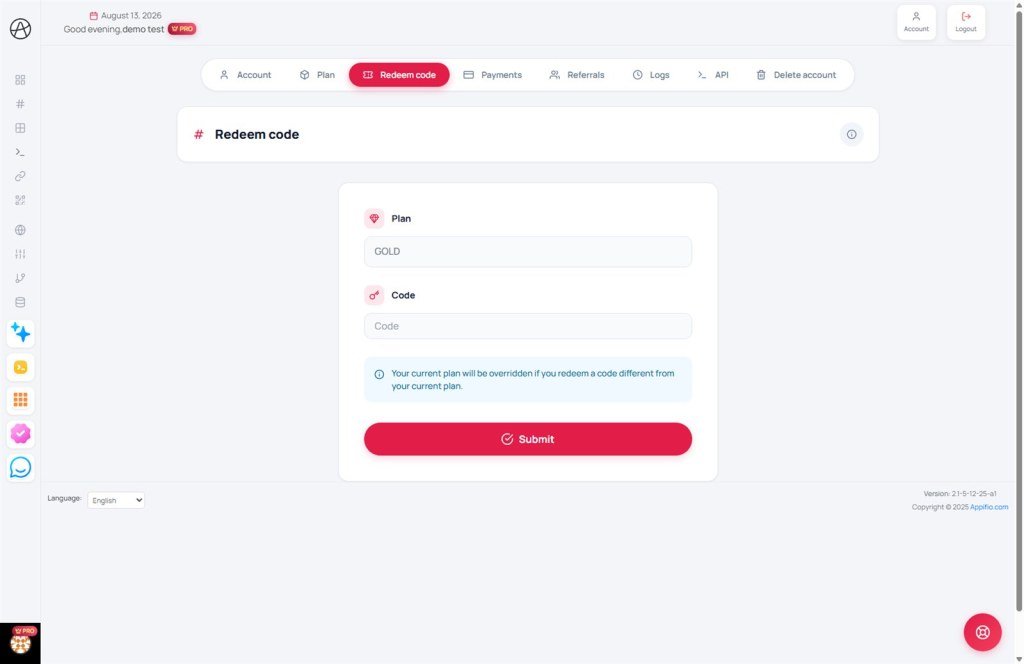
To use your code, navigate to the Redeem Code page and follow these simple steps:
Step 1: Enter the exact code into the provided input field.
Step 2: Click the "Redeem" or "Activate" button.
Step 3: The system will verify the code's validity and instantly apply the benefits to your account.
Important notes:
- Expiration: Codes usually have a limited validity period. We recommend redeeming them as soon as you receive them.
- One-time use: Most codes are single-use and can only be applied once per account.
- Formatting: Ensure there are no leading or trailing spaces when entering the code.
3. Verifying the results
Once the code is successfully redeemed, you can visit the Subscription Management page to confirm that your plan level or expiration date has been updated correctly.
© 2026 Appifio. All rights reserved. Documented by Rewards & Promotions.
