
Table of contents
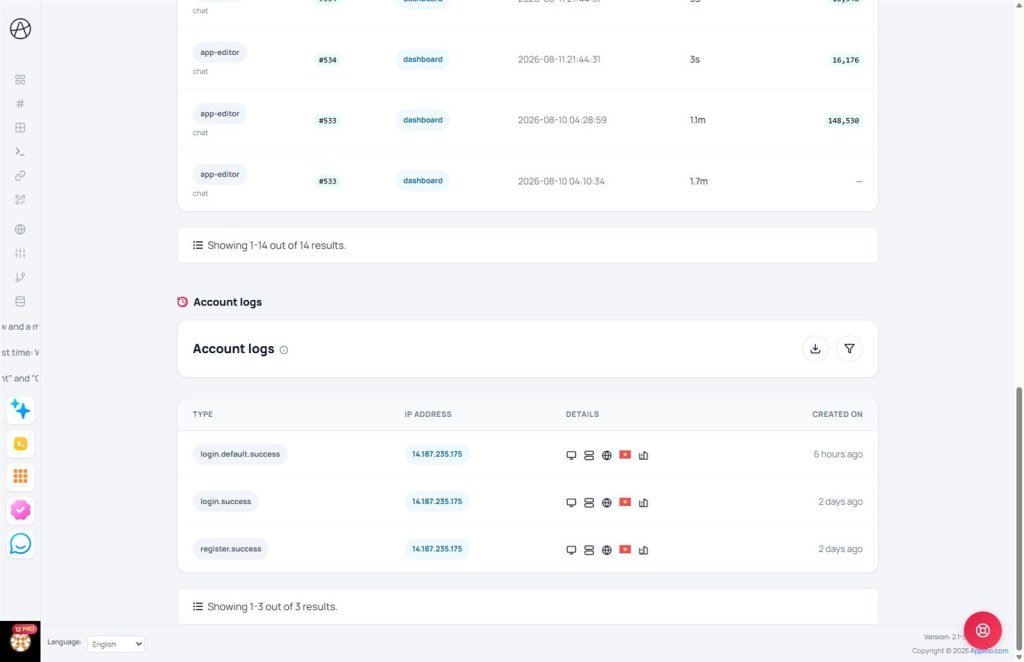
Account Activity Logs
A guide to monitoring critical activities and login history to ensure your account security.
1. What are Activity Logs?
The Account Logs page records all critical operations related to your account's security and management. This serves as a powerful tool to help you monitor who accessed your account and when.
2. Information Recorded
Each entry in the log provides detailed information:
Type: The event category shown in the Type column (for example login.success, login.failed, or account updates).
IP Address: The network address of the device used for the operation. This helps you identify unauthorized access from unfamiliar geographical locations.
Details / Created: The Details column explains the event; Created shows when it was recorded.
3. Why You Should Monitor Your Logs?
- Detect Unusual Access: If you notice login history from an unfamiliar IP address, you should immediately change your password and enable Two-Factor Authentication (2FA).
- Control Changes: Ensure that all changes to your subscription plans or personal information were authorized by you.
- Transparency: Helps you recall exactly when important configurations were made on the system.
© 2026 Appifio Creator - Account Activity Logs Guide
