
Appifio Creator · Lesson EM01 · Easy Storage series
built-in helper & learning map
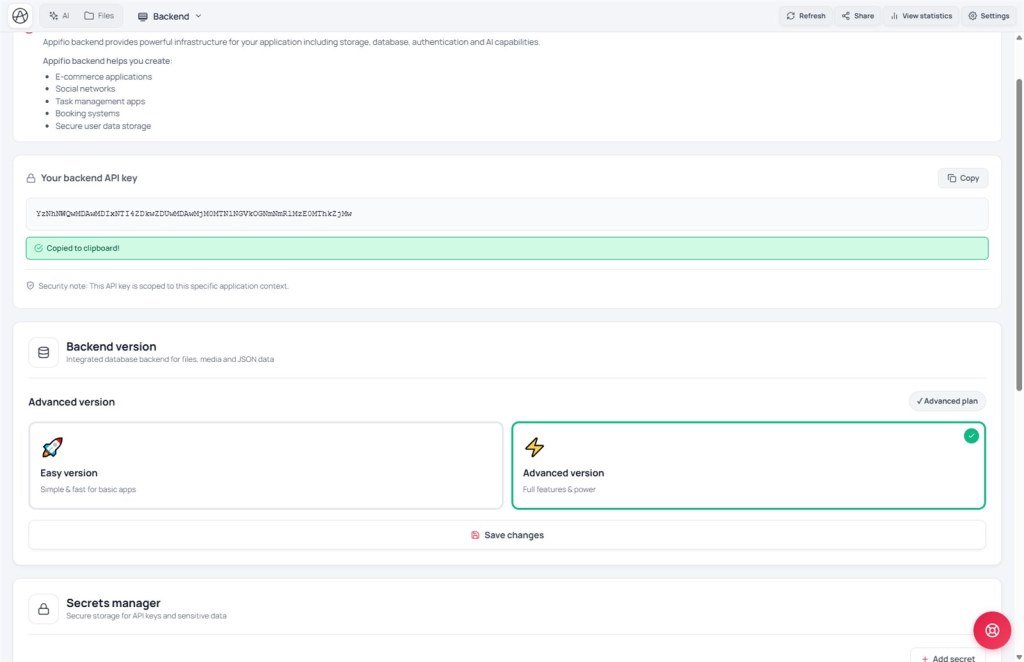
Backend tab = Simple version (Easy). You only call appifio_client - you do not rewrite the library.
Learning goals: See how Easy differs from Aura; wait for the client correctly; know how to read EM02-EM09.
Prerequisites: Creator → Backend tab → choose Easy → save in that tab → click Save changes.
Also read: F01 · BR02 · EM series
Important - Prompt & Skills
Creator → Prompt & Skills → Appifio prompt template → turn on exactly: Appifio Easy Storage - Complete AI Guide. The agent then has the Storage prompts/skills - you do not need to paste Storage docs yourself.
Do not enable the Aura template (Appifio Aura Storage (Advanced) - Complete AI Guide) at the same time - that conflicts and confuses the AI.
1. What is Easy? (mental model)
Easy = one JSON notebook on the server. To add / edit / delete posts or contacts: download the whole notebook to the browser → change it with JavaScript → write the whole notebook back.
readList / appendData / Aura-style admin login page. Do not copy Aura code into an Easy app (especially JSON.parse - see EM02).2. Do / don’t
| Do | Don’t |
|---|---|
Call appifio_client.appifio_readFile(...) (and other existing methods) | Write your own class AppStorageClient |
| Build UI + business logic (forms, lists, blog…) | Rewrite / override appifio_* methods |
Wait with waitForAppStorage() | Check typeof appifio_client === 'undefined' (always “exists” - it’s a getter) |
3. Wait for the client (required before the first call)
Right after open, the library may not be fully loaded. Correct pattern:
document.addEventListener('DOMContentLoaded', async () => {
  if (typeof window.waitForAppStorage === 'function') {
    await window.waitForAppStorage();
  }
  // Now call the API
  const res = await appifio_client.appifio_readFile('blog.json');
});if (appifio_client.appifio_readFile) alone - while waiting, the system may hand you a “queue proxy” so every method name looks present. Prefer waitForAppStorage().4. Standard result box
| Field | Plain meaning |
|---|---|
success | Did it work? |
message | Status text |
data | Useful payload (content, url, exists…) |
Easy has no built-in “admin login.” Anyone with a valid page session key can typically read/write - be careful when asking AI to build admin pages.
5. Full Easy method map → EM lessons
EM03-EM08 use the same method-card style as AM: Job · Params · Call · Returns · Notes (+ method-count checklist).
| Group | Methods (complete list) | Lesson |
|---|---|---|
| Data store | createFile, readFile, writeFile, deleteFile, restoreFile, hardDeleteFile, fileExists, getFileInfo, renameFile, copyFile, listFiles, searchFiles, findByName, readField, writeField - 15 | EM03 |
| Composite | createContentWithRoute, ensureHandlerFile, deleteContentWithRoute, updateContentIndex, removeFromContentIndex - 5 | EM04 |
| Page files / upload | readFsFile, writeFsFile, deleteFsFile, listFsFiles, getFsFileInfo, uploadImage, uploadFile - 7 | EM05 |
| Routes | addRoute, removeRoute, getRoutes - 3 | EM06 |
| Helpers | generateSlug, formatDateTime, formatFileSize, getRouteSlug, getQueryParams, sanitize/extension/isImage/unique · deepClone · debounce · showError/Success | EM07 |
| Server | executeBackendFunction (+ Secrets UI) - 1 | EM08 |
| Admin auth | None (unlike AM06 Aura) | - |
| Concept / example lessons | Content |
|---|---|
| EM01 | Map + wait for client |
| EM02 | JSON.parse · empty file on first run |
| EM09 | Blog example + overall checklist |
6. How to read each method card
- Job - one plain-language sentence
- Who can call - Easy: valid page session key (no Guest/Admin split like Aura)
- Params · Call · Returns · Notes
Next
EM02 - Parse JSON & first-run empty file · then EM03 (15 data-store methods)
Internal navigation (same language)
Appifio Creator · User guide · EM01
