
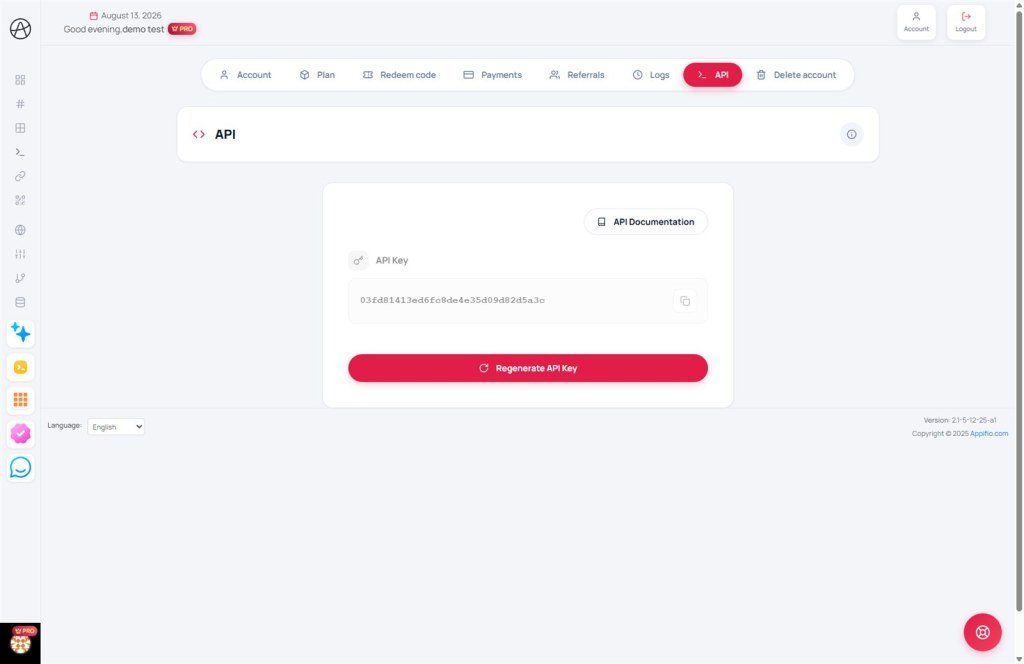
Automate your workflow and integrate Appifio into your own custom applications.
1. Introduction to API
An API (Application Programming Interface) allows you to connect Appifio's features with third-party software or services. This is a powerful tool for developers who want to automate link creation, manage data, or integrate systems without manual interaction via the web interface.
2. Managing Your API Key
To begin using the API, you need a unique API key. This key acts as a password to authenticate your application's access to your account.
How to Obtain Your API Key
You can find your API key on the API Settings page within your account settings. From there, you can copy the current key to use in your application.
3. Regenerating Your API Key
For security reasons, if you suspect your API key has been compromised or if you wish to change it periodically, you can use the "Regenerate API Key" feature.
Important Warning: When you generate a new key, the old one will be immediately invalidated. Any applications using the old key will stop working until you update them with the new one.
4. Detailed Technical Documentation
For details on endpoints, request parameters, and response data structures, please visit the official Appifio API Documentation page.
Technical Documentation Content
- Authentication Guide: How to include the API key in the request headers.
- Endpoint List: Create, Read, Update, and Delete commands for resources like links, profiles, and applications.
- Error Codes: Explanation of system response codes to help you troubleshoot any issues.
© 2026 Appifio Creator - API Integration Guide
